
Top Digital Signage Software Solutions
A guide to the best digital signage software solutions for 2024 including cloud CMS platforms content scheduling analytics integrations and scalable management tools for digital signage networks.

Top digital signage software solutions refer to specialised platforms that enable businesses to create, manage, and deliver dynamic content across digital display networks. These software tools are essential for organisations looking to engage audiences effectively through LED signage, video walls, and other digital display formats. As technology evolves, selecting the right digital signage software becomes critical to ensure seamless content distribution, real-time updates, and insightful analytics. This comprehensive guide explores the leading digital signage software options for 2024, with a focus on practical considerations, key features, and how onQ Digital Group’s expertise can help businesses optimise their digital signage strategy.
Understanding Digital Signage Software and Its Importance
Digital signage software, often referred to as a Content Management System (CMS), is the technology that powers digital display networks by enabling content creation, scheduling, deployment, and performance tracking. Without effective digital signage software, businesses cannot harness the full potential of their LED signage or video wall installations. This software acts as the control centre, allowing users to manage diverse content types—from promotional videos and images to live data feeds—across multiple screens and locations.
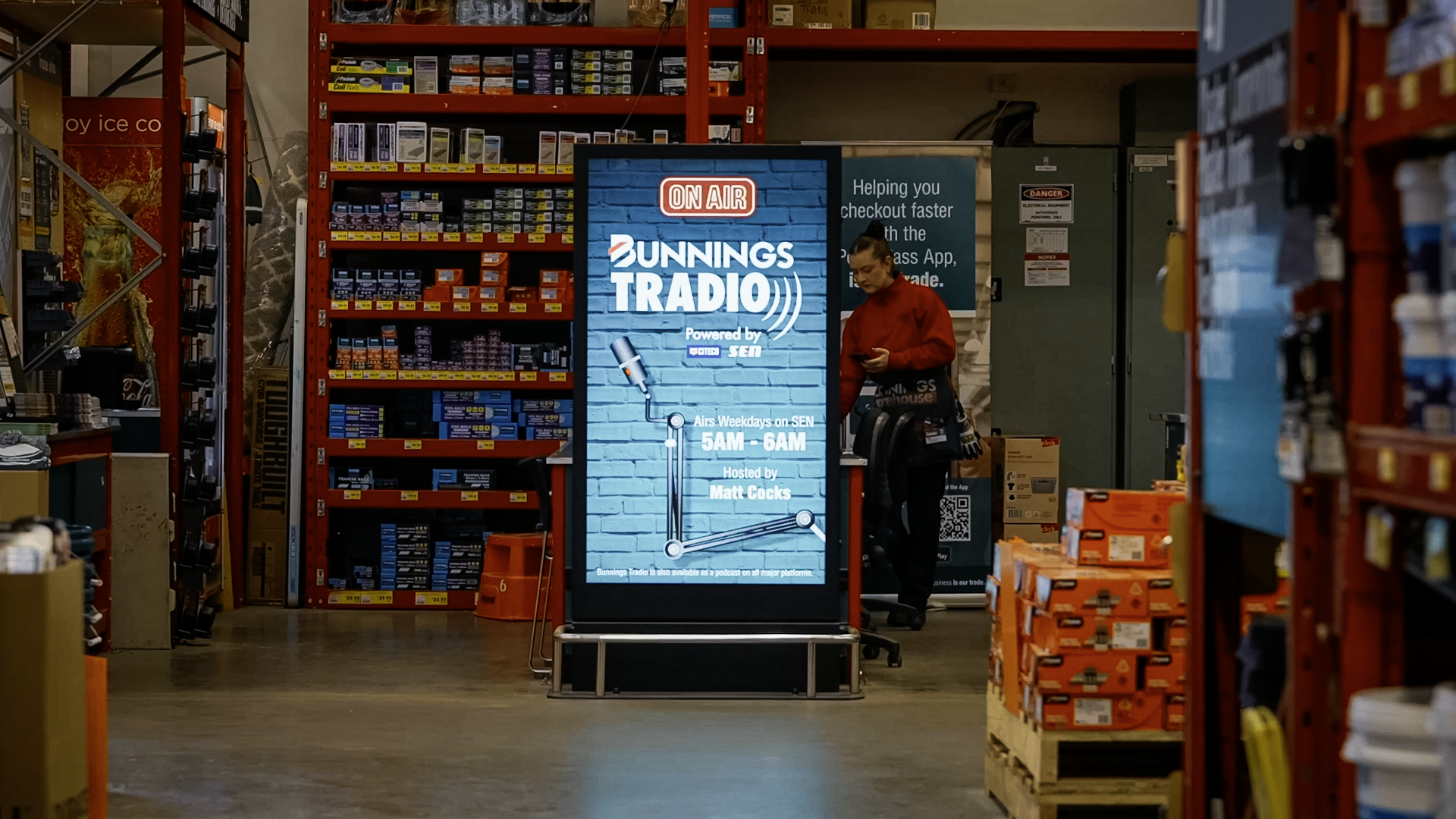
In sectors such as retail, corporate environments, automotive showrooms, and outdoor advertising, digital signage software facilitates timely communication and enhances customer engagement. For example, retailers like David Jones rely on advanced CMS platforms to deliver targeted promotions on LED video walls and freestanding displays. Similarly, outdoor LED billboards benefit from software that supports remote updates and scheduling to respond rapidly to changing campaigns or weather conditions.
Key Features That Define Top Digital Signage Software
When evaluating digital signage software, several core features distinguish the best solutions. These characteristics ensure the software is not only functional but also user-friendly and scalable to meet future needs.
Intuitive User Interface and Content Creation Tools
A leading digital signage CMS must provide an intuitive interface that simplifies content creation and management. Users should be able to design, upload, and schedule content without requiring advanced technical skills. Drag-and-drop editors, template libraries, and preview functionalities are examples of tools that enhance user experience and reduce the time required to launch campaigns.
Flexible Scheduling and Automation
Effective scheduling capabilities allow businesses to automate content playback based on time, date, or specific events. This flexibility ensures that the right message reaches the right audience at the right moment, maximising impact. Automation can also extend to content rotation and playlist management, which helps maintain audience interest and reduces manual intervention.
Integration with External Systems and Data Sources
Integration capabilities are increasingly important as businesses seek to connect their digital signage networks with other platforms, such as point-of-sale systems, social media feeds, or weather APIs. This connectivity enables dynamic content that responds to real-time data, enhancing relevance and engagement. For example, automotive showrooms might integrate vehicle inventory data to display up-to-date offers and specifications on LED signage.

Robust Analytics and Reporting
Analytics tools provide insights into content performance, audience engagement, and operational efficiency. By tracking metrics such as display uptime, content impressions, and viewer interaction, businesses can refine their digital signage strategy and justify investment. Advanced reporting features help identify which campaigns resonate most effectively and guide future content planning.
Scalability and Network Management
As digital signage networks grow, the underlying software must scale accordingly. Whether managing a handful of indoor LED displays or a nationwide network of outdoor LED billboards, the CMS should support easy addition of new screens, centralised control, and consistent content delivery. Scalability also involves reliability and security to protect the integrity of the network and data.
Customer Support and Software Updates
Ongoing support and regular software updates are critical to maintaining system performance and security. Top digital signage software providers offer responsive customer service and continuous improvements to features and compatibility. This ensures businesses can rely on their signage systems to operate smoothly and adapt to emerging technologies.
Leading Digital Signage Software Solutions in 2024
The digital signage software market features a diverse range of platforms, each with unique strengths. While many solutions cater to specific industries or use cases, several stand out for their comprehensive feature sets and adaptability. onQ Digital Group’s own CMS is a prime example of a solution designed to meet the demands of modern digital signage deployments.
onQ Digital’s CMS: User-Friendly and Scalable
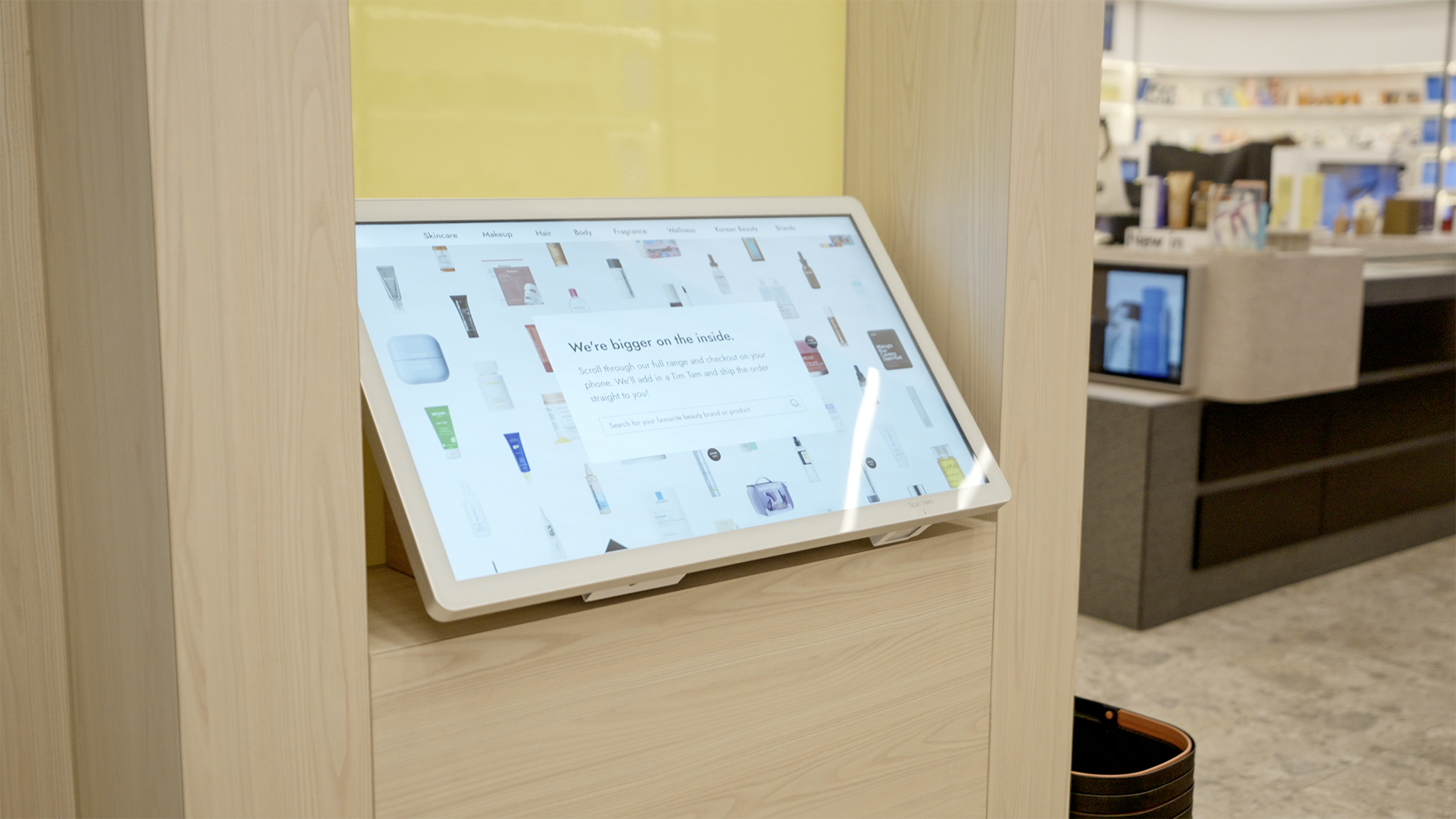
onQ Digital Group’s CMS is engineered to deliver intuitive content management and powerful analytics within a scalable framework. Its user-centric design enables marketing teams and operational managers to create and schedule content effortlessly, reducing reliance on IT specialists. The platform supports a wide variety of display types, including LED video walls, LED MIP, freestanding LED displays, transparent LED, and outdoor LED billboards, making it suitable across retail, corporate, and automotive sectors.
One of the standout features of onQ CMS is its robust reporting capabilities, which provide actionable insights into content effectiveness and audience engagement. This empowers businesses to optimise messaging and improve return on investment. Additionally, the CMS integrates seamlessly with third-party data sources and systems, enabling dynamic content that adapts to changing conditions or inventory levels.
Other Notable Digital Signage Software Platforms
While onQ CMS offers a comprehensive solution, several other software platforms are recognised for their strengths in specific areas. Some platforms excel in cloud-based management, allowing for easy remote access and updates, which is ideal for networks spread across multiple locations. Others focus on advanced automation or offer rich template libraries aimed at rapid content deployment.
When comparing these options, businesses should consider how each platform aligns with their operational requirements, budget constraints, and technical capabilities. Factors such as the ability to manage content across indoor and outdoor LED signage, support for interactive displays, and integration with existing IT infrastructure are critical.
How to Choose the Right Digital Signage Software for Your Business
Selecting the appropriate digital signage software involves a strategic approach that balances immediate needs with long-term goals. The decision should be guided by a thorough assessment of your business environment, target audience, and content strategy.
Assess Your Content and Display Needs
Begin by analysing the types of content you plan to display—whether promotional videos, real-time data, interactive elements, or static images—and the variety of display technologies in use. For example, deploying content across LED video walls in retail stores and outdoor LED billboards requires software that can handle different resolutions and environmental conditions.
Consider Usability and Training Requirements
Evaluate how user-friendly the software is and the level of training your team will need. A platform like onQ CMS, which emphasises an intuitive interface, can reduce onboarding time and empower non-technical staff to manage content effectively.

Examine Integration and Automation Capabilities
Determine whether the software can integrate with your existing systems and automate workflows to save time. Integration with point-of-sale systems, inventory databases, or social media feeds can enhance content relevance and operational efficiency.
Review Analytics and Reporting Features
Ensure the software provides comprehensive analytics that help measure the success of your digital signage campaigns. Insights into viewer engagement and content performance are invaluable for continuous improvement.
Evaluate Scalability and Support
Consider the software’s ability to grow with your business and the quality of customer support offered. Reliable, ongoing assistance and regular updates are essential to maintaining a high-performing digital signage network.
onQ Digital Group’s Expertise in Digital Signage Strategy and Deployment
onQ Digital Group is a trusted partner for businesses seeking to implement or optimise digital signage networks. With deep expertise in LED signage solutions—including LED video walls, LED MIP, transparent LED, and large-format outdoor LED billboards—onQ provides end-to-end services from strategy development to deployment and ongoing support.
Leveraging the onQ CMS platform, the group helps clients across retail, corporate, and automotive sectors create impactful visual communications that drive engagement and sales. Their team collaborates closely with clients to tailor content management workflows, integrate digital signage with existing systems, and ensure seamless network operation.
onQ’s comprehensive approach includes optimisation of digital signage networks to maximise uptime and performance, ensuring that every display delivers the intended message effectively. Whether upgrading an existing system or launching a new digital signage project, onQ Digital Group’s combination of software expertise and hardware solutions offers a reliable pathway to success.
Frequently Asked Questions About Digital Signage Software

What is the difference between digital signage software and a CMS?
Digital signage software and a Content Management System (CMS) generally refer to the same technology in this context. The CMS is the software platform used to create, schedule, and manage content across digital signage networks. It acts as the central hub for controlling what is displayed on screens and when.
Can digital signage software integrate with other business systems?
Yes, many modern digital signage software solutions offer integration capabilities with external systems such as point-of-sale, inventory management, social media, and weather data feeds. These integrations enable dynamic and contextually relevant content that can adapt in real-time.
Is cloud-based digital signage software better than on-premise solutions?
Cloud-based digital signage software provides advantages like remote access, easier updates, and scalability, making it suitable for dispersed networks. However, on-premise solutions may offer greater control and security for certain organisations. The best choice depends on business requirements, IT infrastructure, and security policies.
How important are analytics in digital signage software?
Analytics are crucial as they provide insights into how content performs and how audiences engage with digital signage. These data help businesses optimise messaging, improve customer experience, and justify investment in digital signage technology.
What types of displays can be managed with digital signage software?
Digital signage software can manage a wide variety of display types including LED video walls, LED MIP, freestanding LED displays, transparent LED screens, and outdoor LED billboards. The software should support the specific technical requirements of each display type to ensure optimal content presentation.
Contact onQ Digital Group for Expert Digital Signage Advice and Support
Choosing the right digital signage software is a foundational step towards creating engaging, dynamic visual communications that resonate with your audience. With so many options available, partnering with an expert like onQ Digital Group ensures you receive tailored advice and solutions that align with your business goals.
onQ Digital Group offers comprehensive services spanning digital signage strategy, LED signage solutions, content management through the onQ CMS platform, deployment, and ongoing support. Whether you are implementing LED video walls in retail environments, installing outdoor LED billboards, or integrating digital signage across corporate locations, onQ’s expertise will help you maximise the impact of your investment.
Contact onQ Digital Group today to discuss your digital signage needs and discover how their solutions can elevate your communication strategy with cutting-edge technology and professional support.


Ready to start a conversation?
Speak with our team about digital signage, CMS software, or retail media infrastructure. We’ll help you scope, design, and deploy the right solution.

Digital signage, CMS software, retail media platforms, analytics, and managed services across Australia.
© 2026 onQ Digital. All rights reserved. Website by D&n