
Digital Signage Australia

Introduction
Enterprise Digital Signage Solutions, CMS Software & Retail Media Infrastructure
Digital signage has become a critical part of modern customer engagement, retail media, corporate communication and immersive brand experiences across Australia.
Digital Signage Australia
Enterprise Digital Signage Solutions, CMS Software & Retail Media Infrastructure
Digital signage has become a critical part of modern customer engagement, retail media, corporate communication and immersive brand experiences across Australia.
Businesses are increasingly replacing static signage with scalable digital display networks capable of delivering:
- dynamic content
- real-time messaging
- retail media advertising
- interactive customer experiences
- data-driven communications
- enterprise-wide screen management
At onQ Digital Group, we design, deploy and support enterprise digital signage solutions across Australia, combining:
- digital signage hardware
- LED displays
- LCD displays
- proprietary CMS software
- retail media infrastructure
- analytics
- support & maintenance
into one integrated platform.
Our solutions support:
- retail stores
- shopping centres
- automotive dealerships
- corporate environments
- hospitality venues
- stadiums
- public infrastructure
- enterprise environments
throughout Australia.
What Is Digital Signage?
Digital signage refers to the use of digital displays such as:
What is digital signage?
Digital signage is the use of digital displays such as LED screens, LCD displays and video walls to deliver dynamic content across physical environments.
- LED screens
- LCD displays
- video walls
- menu boards
- transparent LED displays
- interactive kiosks
to deliver dynamic digital content across physical environments.
Modern digital signage systems combine:
- display hardware
- media players
- cloud-based CMS software
- network connectivity
- analytics
- scheduling platforms
to create scalable communication and advertising networks.
Digital signage is commonly used for:
- advertising
- internal communications
- retail media
- promotions
- wayfinding
- customer engagement
- live dashboards
- event communication
- experiential branding
Learn more about:
Why Digital Signage Is Growing Across Australia
Businesses across Australia are rapidly investing in digital signage because it delivers:
- higher customer engagement
- improved communication
- dynamic content flexibility
- premium visual presentation
- operational efficiency
- retail media monetisation
- centralised control
- scalable deployment
Digital signage has evolved beyond simple screen playback into:
- enterprise communication infrastructure
- retail media networks
- intelligent advertising platforms
- immersive digital environments
- data-driven customer engagement ecosystems
Retailers, property groups and enterprise businesses increasingly use digital signage to:
- modernise environments
- improve customer experience
- monetise screen networks
- automate communications
- deliver targeted campaigns
- support supplier advertising
Modern digital signage deployments increasingly integrate:
- proof-of-play reporting
- analytics
- audience measurement
- programmatic advertising
- AI-driven content workflows
- retail media campaign management
through enterprise CMS platforms.
Benefits of Digital Signage
Businesses invest in digital signage because it provides:
- dynamic real-time communication
- higher customer engagement
- premium visual presentation
- centralised management
- scalable content delivery
- improved operational efficiency
- retail media monetisation opportunities
- measurable campaign performance
Digital signage also allows businesses to:
- update content instantly
- synchronise campaigns nationally
- reduce print costs
- automate promotions
- improve customer experience
- modernise environments
- create immersive brand experiences
Modern digital signage networks increasingly operate as both communication infrastructure and revenue-generating media assets.
Businesses seeking to scale digital communication across multiple locations increasingly combine:
- enterprise CMS software
- LED displays
- analytics
- remote monitoring
- proof-of-play reporting
into one centrally managed platform.
Explore:
Digital Signage Content Management
Effective digital signage requires enterprise-grade content management software capable of:
- scheduling
- campaign automation
- remote updates
- proof-of-play reporting
- analytics integration
- user permissions
- multi-location deployment
- retail media workflows
- synchronised playback
- emergency messaging
Cloud-based CMS platforms allow businesses to centrally manage thousands of screens across national networks from a single interface.
Modern digital signage CMS platforms increasingly support:
- AI-generated content
- automated campaign workflows
- API integrations
- dynamic data feeds
- retail media monetisation
- advertiser management
- audience analytics
Enterprise businesses increasingly require CMS software capable of supporting:
- retail screen networks
- automotive dealership networks
- shopping centre media
- corporate communications
- national advertising campaigns
Learn more:
Digital Signage Trends in Australia
Several major trends are driving growth in digital signage across Australia, including:
- retail media expansion
- AI-generated content
- transparent LED displays
- interactive customer engagement
- programmatic advertising
- audience analytics
- cloud-based CMS platforms
- immersive retail environments
- data-driven content automation
- synchronised multi-screen experiences
Retailers and enterprise businesses are increasingly treating digital signage as strategic communication and advertising infrastructure rather than standalone display hardware.
Key trends shaping the future of digital signage include:
- retail media monetisation
- dynamic advertising
- AI content automation
- remote monitoring
- intelligent campaign scheduling
- real-time analytics
- API-connected business systems
- personalised customer experiences
Transparent LED displays and immersive LED video walls are also becoming increasingly common across:
- shopping centres
- luxury retail
- automotive showrooms
- experiential environments
- hospitality venues
Explore:
- Retail Media Platform Australia
- Transparent LED Screens Australia
- LED Signage Australia
Choosing the Right Digital Signage Company in Australia
When evaluating digital signage providers, businesses should consider:
- software capability
- hardware quality
- installation experience
- support infrastructure
- retail media capability
- CMS scalability
- national rollout capability
- analytics and proof-of-play reporting
- remote monitoring capability
- long-term support services
Many digital signage providers focus purely on hardware supply, while enterprise businesses increasingly require:
- end-to-end deployment
- cloud-based CMS software
- remote monitoring
- content workflows
- national support
- retail media infrastructure
- advertising workflows
- enterprise security
Businesses should also evaluate:
- deployment experience
- multi-location rollout capability
- integration capability
- LED expertise
- support responsiveness
- CMS functionality
- proof-of-play reporting
- retail media readiness
onQ Digital combines:
- digital signage hardware
- proprietary CMS software
- content management
- installation services
- support & maintenance
- retail media capability
- enterprise rollout expertise
- remote monitoring infrastructure
through one integrated solution.
Our team supports deployments across:
- retail
- automotive
- shopping centres
- hospitality
- corporate environments
- public infrastructure
throughout Australia.
Explore:
- Digital Signage Software Australia
- Retail Media Platform Australia
- Digital Signage Solutions
- LED Screens Australia
Types of Digital Signage Solutions
LED Digital Signage
LED displays provide:
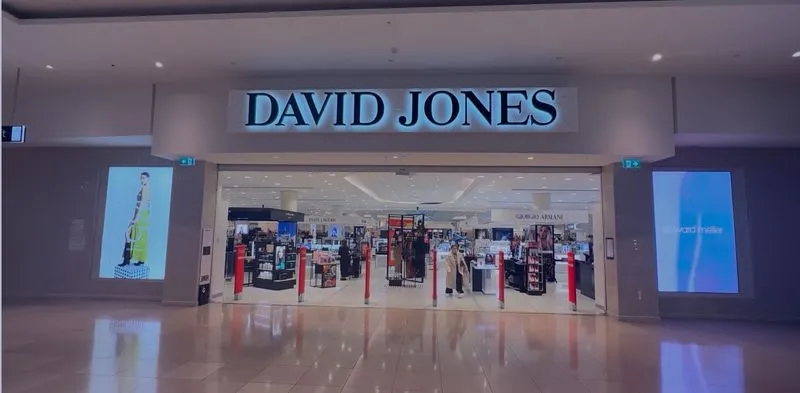
- ultra-high brightness
- seamless video walls
- scalable sizing
- premium visual impact
- long-distance visibility
LED signage is commonly used for:
- retail storefronts
- shopping centres
- stadiums
- automotive dealerships
- outdoor advertising
- experiential retail
Explore:
- LED Screens Australia
- LED Signage Australia
- LED Video Walls
LCD Digital Signage Displays
LCD digital signage displays are commonly used for:
- menu boards
- corporate communications
- retail shelf displays
- information screens
- meeting room signage
- wayfinding
LCD displays provide:
- cost-effective deployment
- high-resolution presentation
- slimline installation
- commercial-grade operation
Explore:
Transparent LED Displays
Transparent LED technology allows digital content to be displayed directly on glass while maintaining visibility and natural light.
Transparent LED signage is increasingly used for:
- retail windows
- automotive showrooms
- shopping centre facades
- architectural displays
- experiential storefronts
Learn more:
Digital Signage for Retail
Retail is one of the largest sectors driving digital signage growth across Australia.
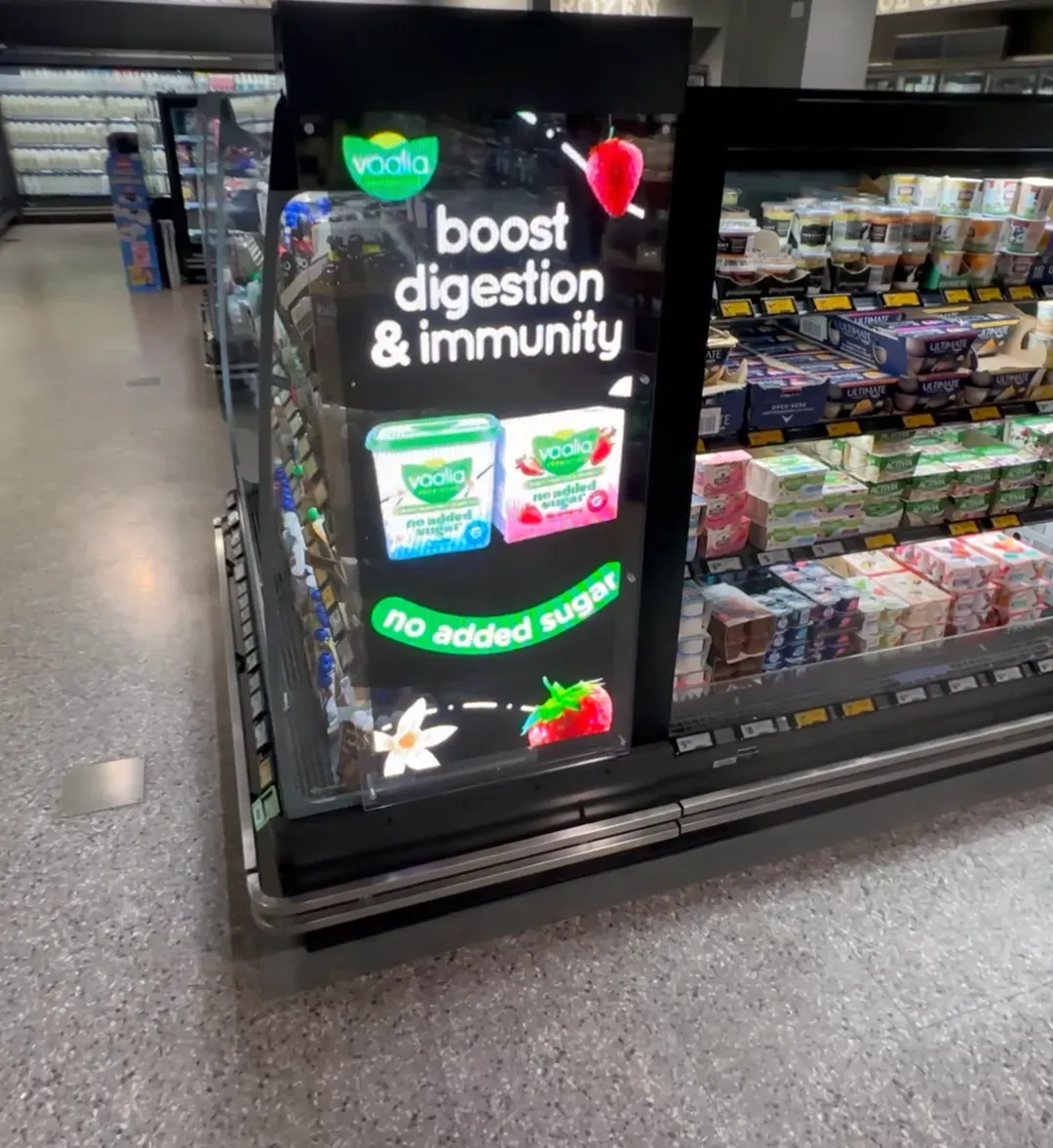
Retail digital signage allows businesses to:
- increase foot traffic
- modernise store environments
- deliver dynamic promotions
- support retail media advertising
- improve customer engagement
- enhance visual merchandising
Retailers increasingly deploy:
- LED video walls
- storefront displays
- aisle signage
- menu boards
- transparent LED
- retail media networks
across national store networks.
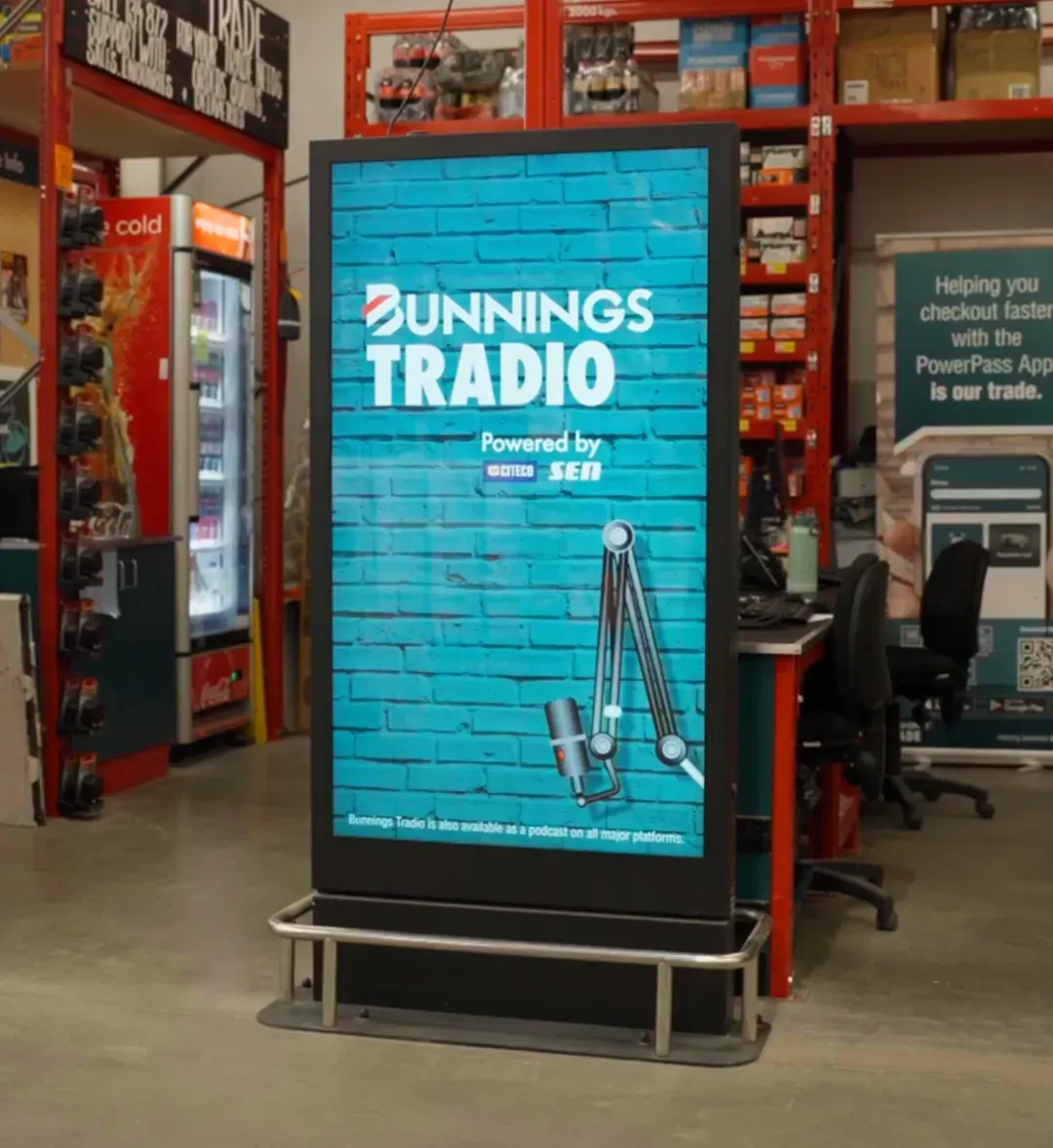
Digital signage is also becoming a major revenue driver through:
- supplier-funded advertising
- retail media monetisation
- in-store advertising networks
- programmatic advertising
Explore:
Digital Signage for Automotive Dealerships
Automotive dealerships increasingly use digital signage to:
- showcase vehicle launches
- modernise showrooms
- synchronise campaigns nationally
- improve customer experience
- create premium digital environments
Popular automotive digital signage applications include:
- LED video walls
- showroom displays
- transparent LED windows
- dealership entrance displays
- service department signage
- EV launch activations
Explore:
- Automotive Digital Signage Solutions
- Transparent LED Screens Australia

Digital Signage for Corporate Environments
Corporate digital signage is commonly used for:
What industries use digital signage?
Digital signage is commonly used across:
- retail
- automotive
- hospitality
- shopping centres
- corporate environments
- healthcare
- education
- stadiums
- reception displays
- internal communications
- KPI dashboards
- digital wayfinding
- meeting room signage
- event communication
- workplace engagement
Modern corporate digital signage solutions support:
- centralised management
- enterprise user permissions
- remote monitoring
- real-time content updates
- analytics integration
Explore:
- Corporate Digital Signage Solutions
Digital Signage vs Traditional Static Signage
| Feature | Digital Signage | Static Signage |
|---|---|---|
| Dynamic Content | Yes | No |
| Real-Time Updates | Yes | No |
| Video & Animation | Yes | No |
| Centralised Control | Yes | No |
| Retail Media Capability | Excellent | Limited |
| Multi-Location Management | Yes | No |
| Campaign Scheduling | Yes | No |
| Analytics & Reporting | Yes | No |
Digital signage enables businesses to adapt messaging instantly while delivering measurable customer engagement and advertising performance.
Understanding Digital Signage CMS Software
Modern digital signage networks require enterprise-grade CMS software capable of:
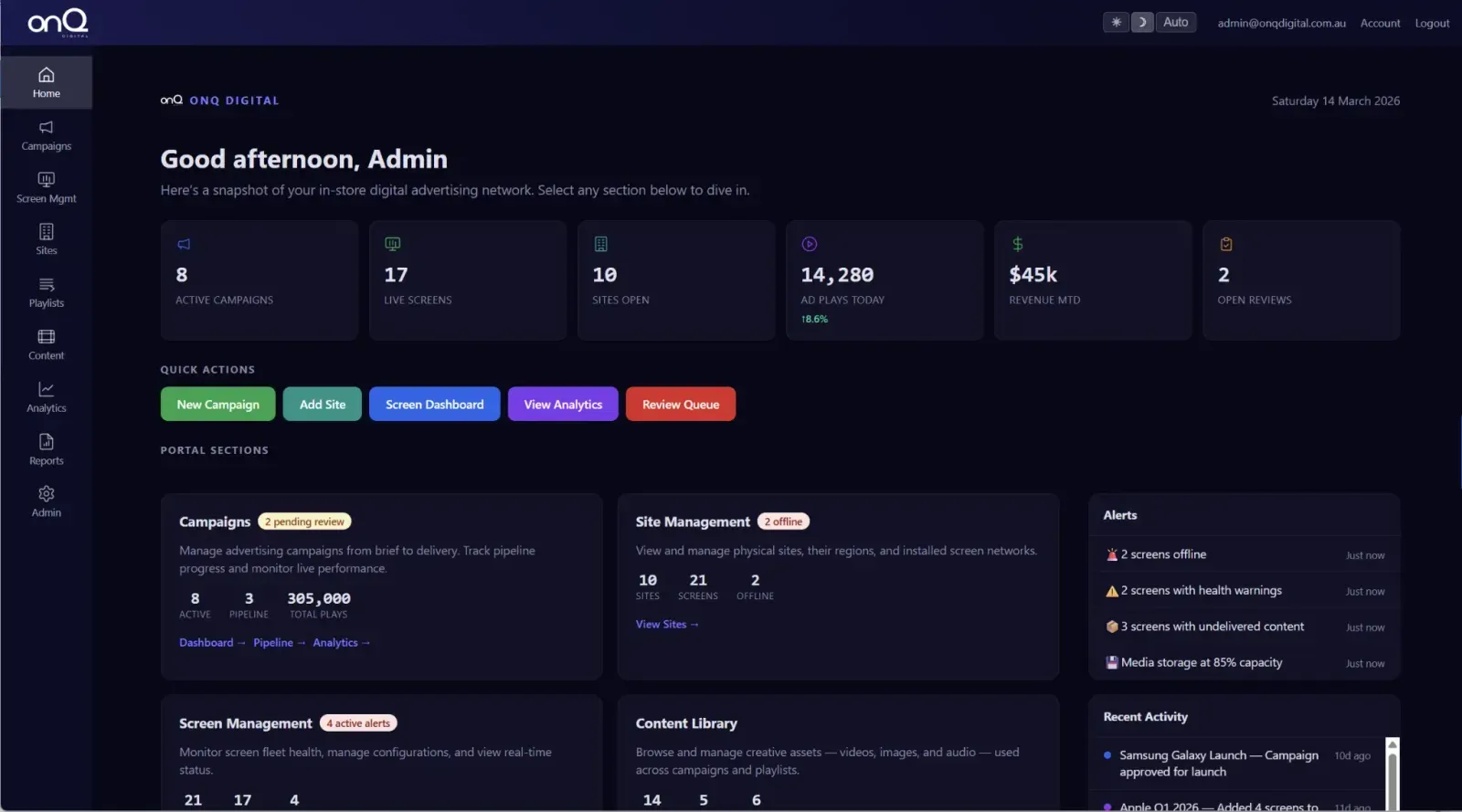
What is digital signage software?
Digital signage software is a CMS platform used to remotely manage, schedule and distribute content across digital screen networks.
- content scheduling
- remote management
- proof-of-play reporting
- analytics integration
- campaign automation
- multi-location deployment
- retail media workflows
onQ CMS is a cloud-based digital signage platform designed specifically for:
- enterprise screen networks
- retail media environments
- multi-site deployments
- national campaigns
The platform supports:
- centralised control
- API integrations
- remote diagnostics
- synchronised playback
- screen targeting
- campaign reporting
- retail media scheduling
Explore:
Retail Media & Digital Signage
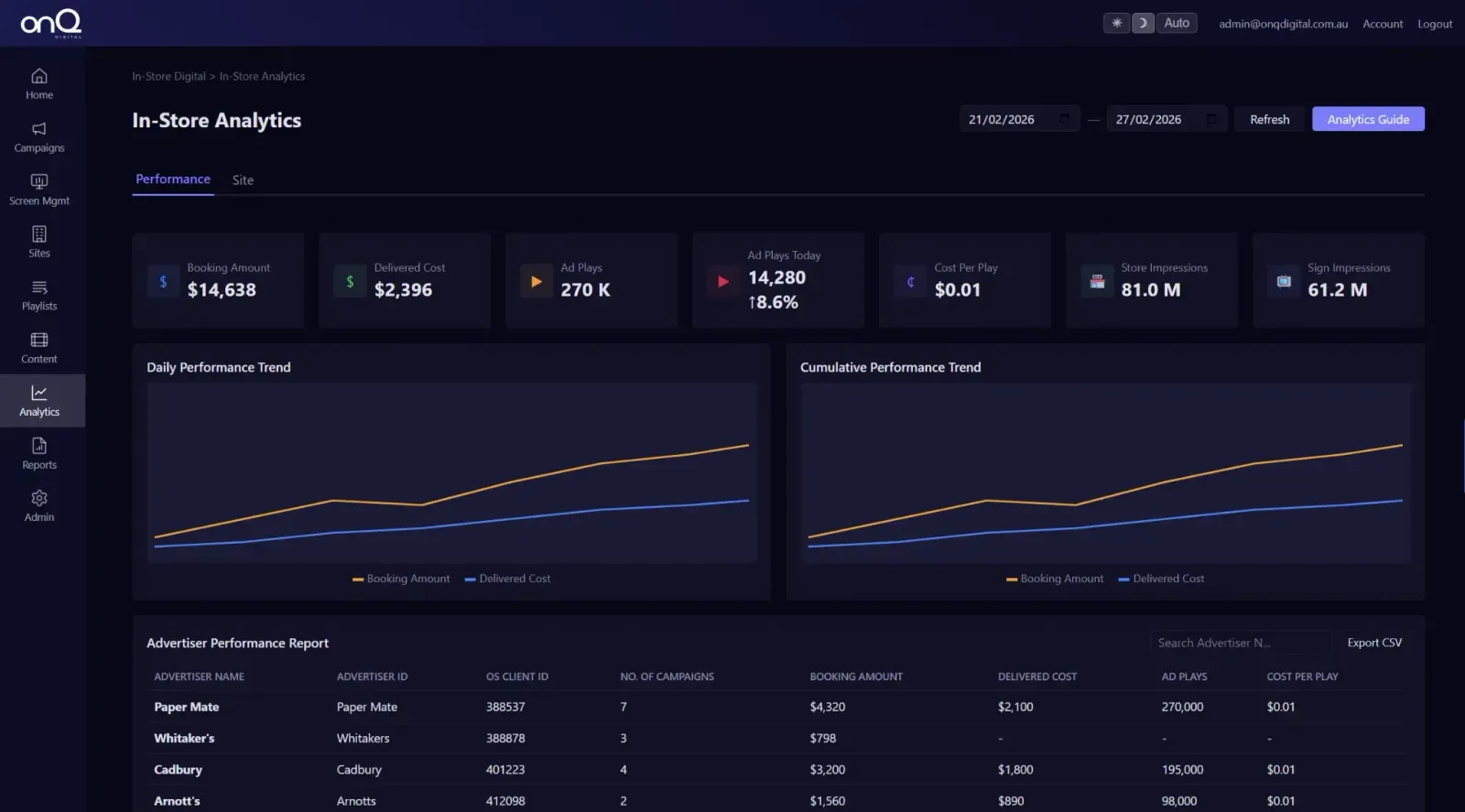
Digital signage is increasingly becoming the foundation of modern retail media infrastructure.
What is retail media digital signage?
Retail media digital signage refers to digital screen networks used for advertising, supplier-funded campaigns and in-store media monetisation.
Retailers and venue operators now use digital signage networks to:
- monetise customer attention
- run advertising campaigns
- manage supplier-funded media
- deliver programmatic advertising
- track proof-of-play
- measure audience engagement
Modern retail media environments combine:
- digital signage hardware
- CMS software
- analytics
- programmatic SSP integrations
- audience measurement
into one governed platform.
Learn more:
- Retail Media Platform Australia
- Retail Media CMS Explained
AI & the Future of Digital Signage
Artificial intelligence is rapidly transforming digital signage through:
- AI-generated content
- automated video production
- dynamic scheduling
- audience targeting
- predictive analytics
- intelligent content workflows
AI-powered content automation enables businesses to:
- scale content production
- personalise messaging
- automate campaign workflows
- optimise engagement
Explore:
- AI Powered Video Automation for Digital Signage
Digital Signage Costs in Australia
Digital signage pricing varies depending on:
- display technology
- LED vs LCD
- screen size
- pixel pitch
- CMS requirements
- installation complexity
- network scale
- support requirements
Digital signage deployments can range from:
- single-screen retail installations
- through to national multi-site digital media networks
Businesses investing in digital signage often achieve ROI through:
- improved customer engagement
- increased sales conversion
- retail media advertising revenue
- operational efficiency
- premium brand presentation
Why Businesses Choose onQ Digital
Businesses across Australia choose onQ Digital because we provide:
- digital signage hardware
- proprietary CMS software
- LED displays
- retail media infrastructure
- analytics
- installation services
- support & maintenance
- national rollout capability
through one integrated platform.
Unlike providers who focus purely on hardware supply, onQ delivers:
- strategy
- procurement
- installation
- CMS integration
- content workflows
- remote monitoring
- ongoing support
- retail media enablement
for complete end-to-end digital signage deployments.
Explore:
- Digital Signage Solutions
- Support & Maintenance Services
- LED Screens Australia
Future-Proof Your Digital Signage Network
Digital signage has evolved into critical communication and retail media infrastructure across Australia.
As businesses increasingly seek:
- immersive customer engagement
- premium visual communication
- retail media monetisation
- scalable digital networks
- intelligent content management
digital signage is becoming essential across retail, automotive, corporate and public-facing environments.
onQ Digital helps Australian businesses design, deploy and manage scalable digital signage ecosystems powered by enterprise-grade hardware, CMS software and retail media infrastructure.
Recommended Related Pages
Frequently Asked Questions
Digital signage is the use of digital displays such as LED screens, LCD displays and video walls to deliver dynamic visual content across physical environments.
Digital signage is commonly used across:
- retail
- automotive
- hospitality
- shopping centres
- corporate environments
- stadiums
- healthcare
- education
- transport
Digital signage software is a CMS platform used to manage, schedule and distribute content across digital screen networks remotely.
Learn more:
Yes. Modern digital signage platforms increasingly support:
- retail media monetisation
- proof-of-play reporting
- audience analytics
- programmatic advertising
- supplier-funded campaigns
LED signage provides:
- higher brightness
- seamless presentation
- larger scalable formats
- superior outdoor visibility
while LCD displays are commonly used for:
- smaller displays
- menu boards
- corporate signage
- cost-effective indoor applications
Related Case Studies


Digital signage, CMS software, retail media platforms, analytics, and managed services across Australia.
© 2026 onQ Digital. All rights reserved. Website by D&n