
Retail LED Displays Australia: In-Store Digital Signage for Retailers

Introduction
In-Store LED Displays for Retailers and Retail Media Networks
Retail LED displays help Australian retailers create more dynamic store environments, improve campaign agility and build new media opportunities across physical locations. LED screens can be used as video walls, window displays, entrance screens, end-cap displays, shelf-edge formats and managed retail media networks. The value is not only visual impact. When connected to a CMS, retail LED displays can be scheduled, updated, monitored and reported across multiple stores. This guide explains the main types of retail LED displays, their benefits, how retailers can use LED networks for monetisation, and how onQ supports retail LED solutions for supermarkets, hardware, department stores, beauty and specialty retail environments. It also outlines the operational considerations that make retail LED networks effective after installation. For the parent pillar, see LED Signage & LED Screens Australia. This page is written for Australian organisations that need practical planning guidance, commercial clarity and a supportable operating model across real store and workplace environments.
LED Displays for Retail Environments
Retail LED displays give retailers a bright, scalable and flexible way to communicate with shoppers. They can support brand storytelling, product launches, supplier campaigns, digital merchandising, retail media and store modernisation. Unlike static signage, LED content can be scheduled, changed and measured through a CMS.
For the parent pillar, see LED Signage Australia. Retail environments need careful specification because viewing distance, brightness, customer flow, content type and commercial objectives vary across every store zone.
Types of Retail LED Displays
LED displays are not a single format. A flagship video wall has different requirements from an end-cap screen or window display. Retailers should define the role of each display before choosing size, pixel pitch, brightness and CMS workflow.
| Retail LED format | Where it is used | Primary benefit |
|---|---|---|
| Video wall | Feature walls, atriums and flagship areas | High-impact brand storytelling |
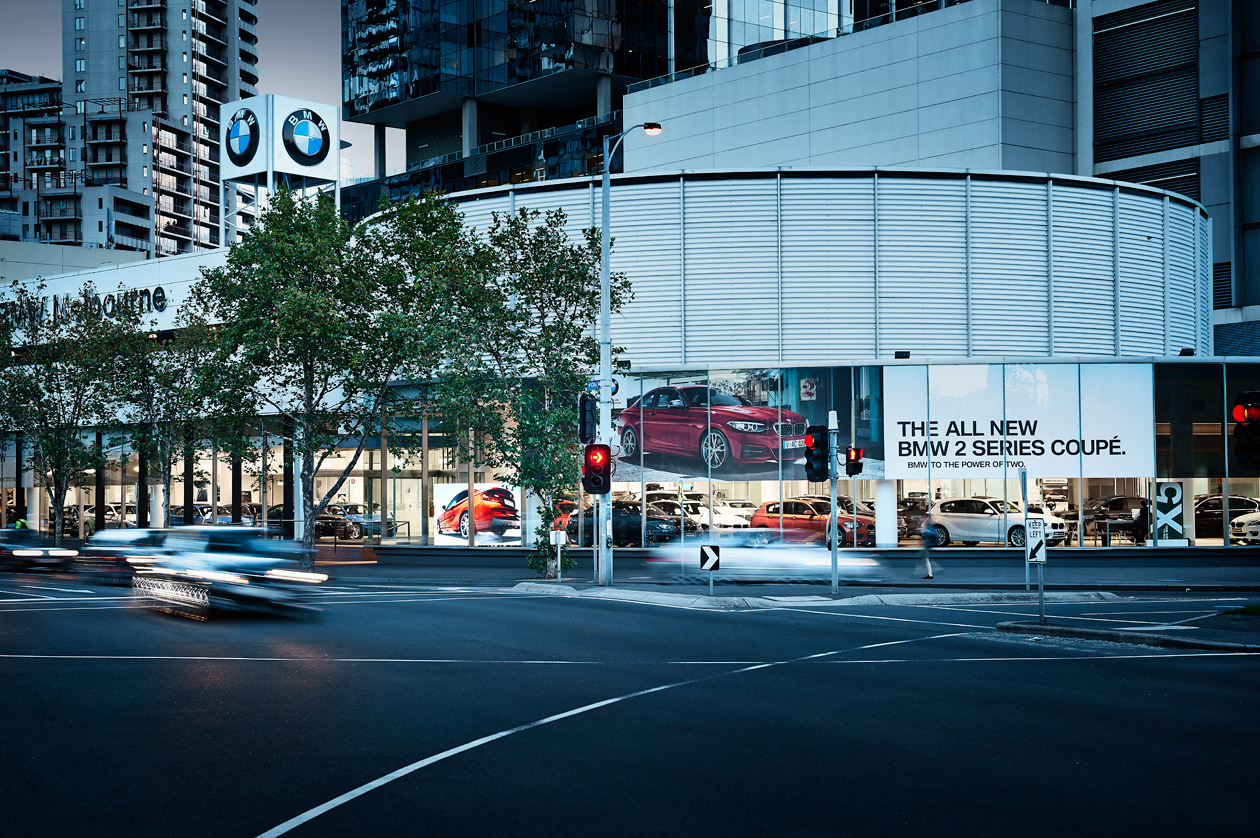
| Window LED | Street-facing shopfronts | Attracts foot traffic and supports campaigns |
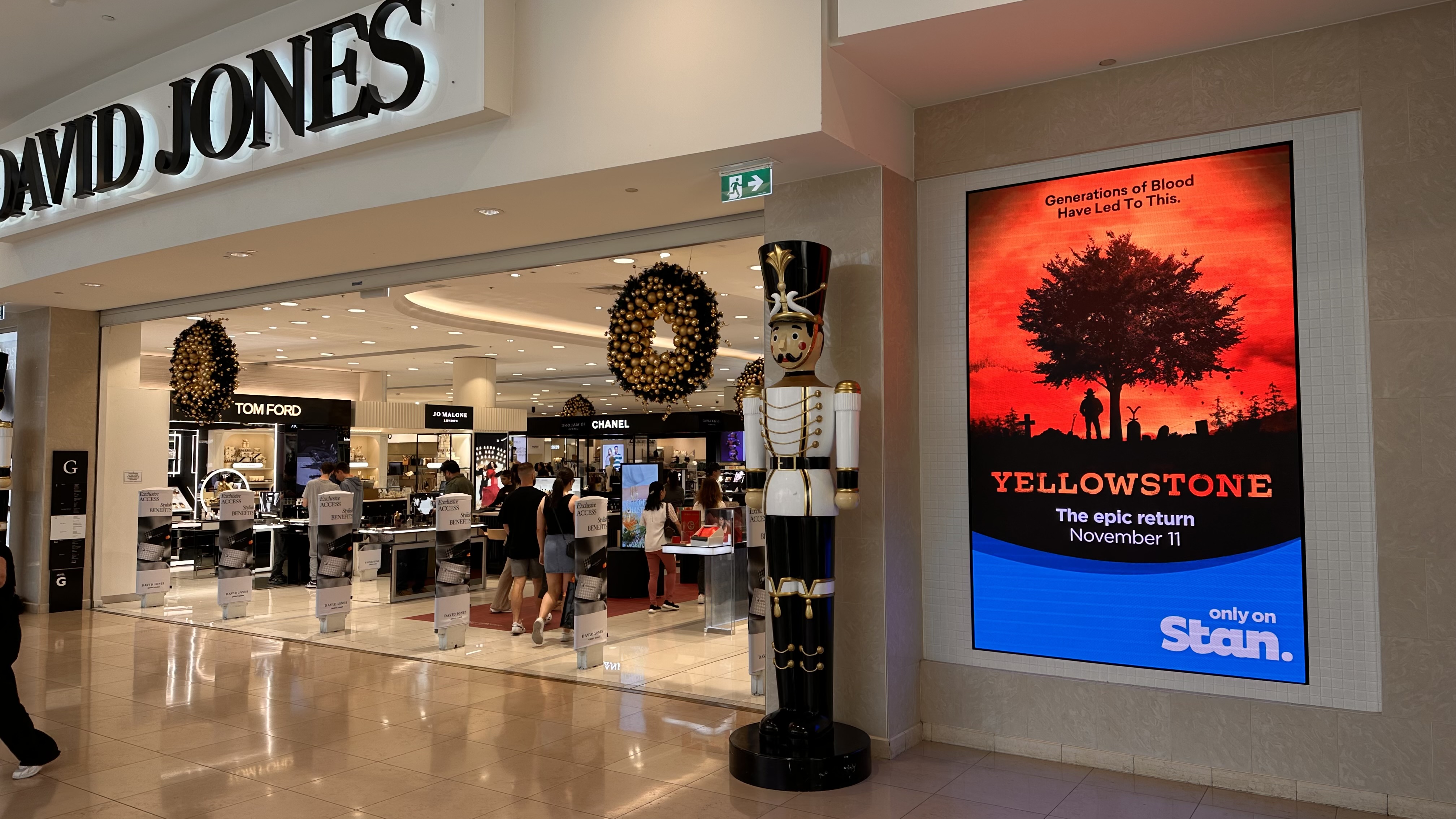
| Entrance display | Store entry and threshold zones | Promotions and customer orientation |
| End-cap screen | Aisle ends and category areas | Supplier campaigns and product education |
| Shelf-edge display | Close to product fixtures | Price, offer and category messaging |
| Retail media network | Multiple store locations | Monetisable screen inventory and campaign reporting |
Some formats are primarily for customer experience, while others can become media inventory. The difference is the operating model. Retail media requires campaign scheduling, proof-of-play, reporting and commercial governance.
Benefits for Retailers
LED displays help retailers create stronger visual impact, reduce reliance on printed signage and respond quickly to campaigns. Content can be updated for seasonality, product availability, store events or supplier promotions. This makes the store environment more adaptable.
Retailers also gain more control. Instead of waiting for print production, shipping and installation, marketing teams can coordinate campaigns through a centralised CMS. Store teams benefit when content is accurate, timely and easier to manage.
Retail Media Monetisation
Retail LED displays can become monetisable media inventory when the retailer has the right network design, CMS workflow and proof-of-play reporting. Supplier campaigns can be packaged by store type, category zone, time period or screen format.
| Retail objective | LED display role | Measurement or workflow |
|---|---|---|
| Brand impact | Large-format motion and visual theatre | Content schedule and store feedback |
| Supplier funding | Paid campaign slots | Proof-of-play and reporting |
| Customer navigation | Directional and category messaging | Content governance and local updates |
| Promotion | Time-sensitive campaign content | Daypart scheduling and rapid updates |
| Store modernisation | Premium digital environment | Uptime and support review |
| Retail media | Commercial screen inventory | Campaign packages and analytics |
Monetisation should be balanced with customer experience. Not every screen should be sold in the same way. Premium locations, high-traffic zones and category-relevant placements need different campaign rules.
Case Study Context: Coles, Bunnings, David Jones and Adore Beauty
Major retail environments such as supermarkets, hardware, department stores and beauty retailers show how LED and digital signage can support different use cases. Coles-style grocery environments prioritise high-frequency campaign communication, supplier activity and store operations. Bunnings-style large-format retail needs scale, wayfinding and category communication. David Jones-style premium retail requires brand-sensitive visual execution. Adore Beauty-style specialty retail needs engaging product education and campaign agility.
The common requirement is infrastructure that can be managed. Screens must be specified properly, connected to a CMS, supported operationally and measured where campaigns are commercialised.
onQ Retail LED Solutions
onQ designs, supplies, installs and supports retail LED display networks across Australia. The solution can include LED hardware, media players, CMS software, content scheduling, proof-of-play, installation and support.
onQ’s role is to connect the creative ambition with the practical operating model. A retail LED network should look impressive, but it also needs to be maintainable, measurable and commercially useful.
Implementation Considerations
For Australian organisations, a successful screen network depends on clear roles, reliable technology and a practical support model. Teams should define who owns content approvals, who manages CMS access, who reviews reports, who responds to device issues and how campaign exceptions are escalated. This discipline reduces operational friction once the network expands beyond a few displays.
onQ approaches these projects as integrated infrastructure rather than isolated screen purchases. Hardware, software, media players, cabling, content workflow, reporting and support all need to work together. That is why specification decisions should be made with both the technical environment and the commercial objective in mind.
Governance and Scale
Governance becomes more important as networks scale. A single screen can be managed informally, but a national network needs naming conventions, screen groups, approval rules, user permissions and documented reporting standards. Without those foundations, content updates become inconsistent and campaign reporting becomes difficult to trust.
The best deployments start with a small number of representative locations, test the workflow, then scale once the operating model is proven. This allows the organisation to refine content templates, confirm support processes and align stakeholders before more screens are added.
Good governance also protects the customer experience. It helps teams decide which content belongs on which screen, how often commercial messages should appear, when local teams can override central schedules and how urgent messages should be handled. These decisions are not only operational; they shape how customers experience the brand in-store and how internal teams trust the network.
Commercial Planning
Commercial planning should define the business outcome before the screen specification is finalised. A display used for brand storytelling may need different creative, brightness and reporting from a display used for retail media or operational messaging. If the network is expected to support supplier-funded activity, the retailer also needs campaign packages, proof-of-play, reporting cadence and clear ownership of advertiser relationships.
Budget planning should include more than hardware. Software licences, media players, installation, networking, content creation, support, reporting and maintenance all affect total cost of ownership. When these costs are visible early, the organisation can make better decisions about where premium displays are justified and where simpler formats are sufficient.
Measurement and Continuous Improvement
Measurement should not be treated as a one-off report at the end of a campaign. Playback data, uptime checks, audience context, store feedback and commercial outcomes should be reviewed regularly. This creates a feedback loop that improves screen placement, content quality, scheduling and long-term return on investment.
For clients, the practical benefit is confidence. They understand what the network is meant to do, how success will be measured, and which team is responsible for each part of the workflow. That clarity helps the system remain useful after installation and supports future optimisation across locations, campaigns and content cycles.
Continuous improvement is especially important for multi-site environments. A campaign that works well in a flagship store may need adjustment in a compact store, an outdoor setting or a regional location. Reviewing performance by environment helps teams improve creative formats, scheduling rules and future investment decisions.
Support and Lifecycle Management
Support should cover the full lifecycle of the network. Screens need monitoring, content needs management, users need training and reporting needs review. If support is only considered after something fails, the network becomes reactive and difficult to improve. A planned support model gives teams a clear escalation pathway and reduces downtime.
Lifecycle management also includes refresh planning. Display technology, CMS features, media requirements and customer expectations change over time. Regular review helps the organisation decide when to update content templates, expand screen inventory, adjust brightness settings, improve analytics or replace ageing hardware.
Questions to Resolve Before Launch
Before launch, teams should confirm the primary audience, the business objective, the approval process, the reporting cadence and the escalation pathway for urgent changes. They should also document which screens are commercial media inventory and which screens are reserved for owned communication, customer service or operational messages.
These decisions help avoid confusion once campaigns are live. They also make it easier to brief creative teams, train users and explain the value of the network to leadership, suppliers and store teams. A documented launch plan also gives technology partners a clear reference point when configuring screens, CMS groups, reporting outputs and support expectations. It reduces rework and helps stakeholders judge whether the network is operating as intended after launch. This is especially important when teams are balancing customer experience, commercial media commitments and internal communication priorities across multiple sites, store formats and campaign cycles, regional requirements and stakeholder reporting needs and ongoing optimisation reviews.
For technical teams, the same plan becomes a practical configuration guide. It clarifies screen groups, content rules, user permissions, reporting labels and support responsibilities. That detail is valuable because small setup choices can have a large effect once a network spans multiple departments, stores or campaign types.
For commercial teams, the plan explains what can be sold, reported and improved over time. It helps separate aspirational use cases from operationally ready inventory, which protects both the customer experience and the credibility of future campaigns.
For store teams, the plan should remain simple enough to follow. Clear instructions about who to contact, how content changes are requested and how faults are reported will reduce confusion. A technically strong network still depends on practical day-to-day operation by people on site, supported by clear escalation rules, training notes and regular review meetings, operational checklists and documented ownership for each screen zone, campaign type and support pathway after launch successfully.
For retail environments, the plan should also consider peak trading periods, seasonal campaigns, store trading hours and local operational constraints. These factors influence content scheduling, support availability and how quickly teams can respond when a screen or campaign needs attention.
Related onQ resources
For deeper planning context, compare this topic with LED Signage Australia, Retail Media Platform Australia, LED brightness planning, pixel pitch, COB LED vs SMD LED, retail media and LED screens in Melbourne.
Frequently Asked Questions
Retail LED displays are commercial LED screens used in stores for promotions, brand content, wayfinding, retail media and customer experience.
They are used in windows, entrances, feature walls, end-caps, category zones, counters, shopping centres and large-format retail environments.
LED is often better for large-format, bright or seamless applications, while LCD can suit smaller close-viewing screens.
Yes. LED displays can be packaged as retail media inventory when managed with CMS scheduling and proof-of-play.
A retail LED video wall is a seamless large-format display used for brand storytelling, product launches and high-impact content.
Yes. LED can be used in windows, but brightness, pixel pitch, transparency, heat and viewing distance must be specified carefully.
Retail pixel pitch depends on viewing distance, screen size and content detail, with closer viewing usually requiring finer pixel pitch.
Retailers use a digital signage CMS to schedule content, manage screen groups, control approvals and monitor playback.
Power use depends on screen size, brightness, content and operating hours, so specification should include energy planning.
onQ has delivered digital signage and LED projects for major Australian retail and commercial environments.
Yes. onQ supports national deployment, installation coordination, CMS integration and ongoing support across Australian locations.
Success depends on screen placement, content quality, CMS workflow, brightness, support, measurement and alignment with retail objectives.
Related Case Studies




Digital signage, CMS software, retail media platforms, analytics, and managed services across Australia.
© 2026 onQ Digital. All rights reserved. Website by D&n