
Digital Signage Installation Guide for Australian Rollouts
A practical Australian guide to digital signage installation guide with onQ advice on hardware, CMS workflow, rollout governance, measurement and support.
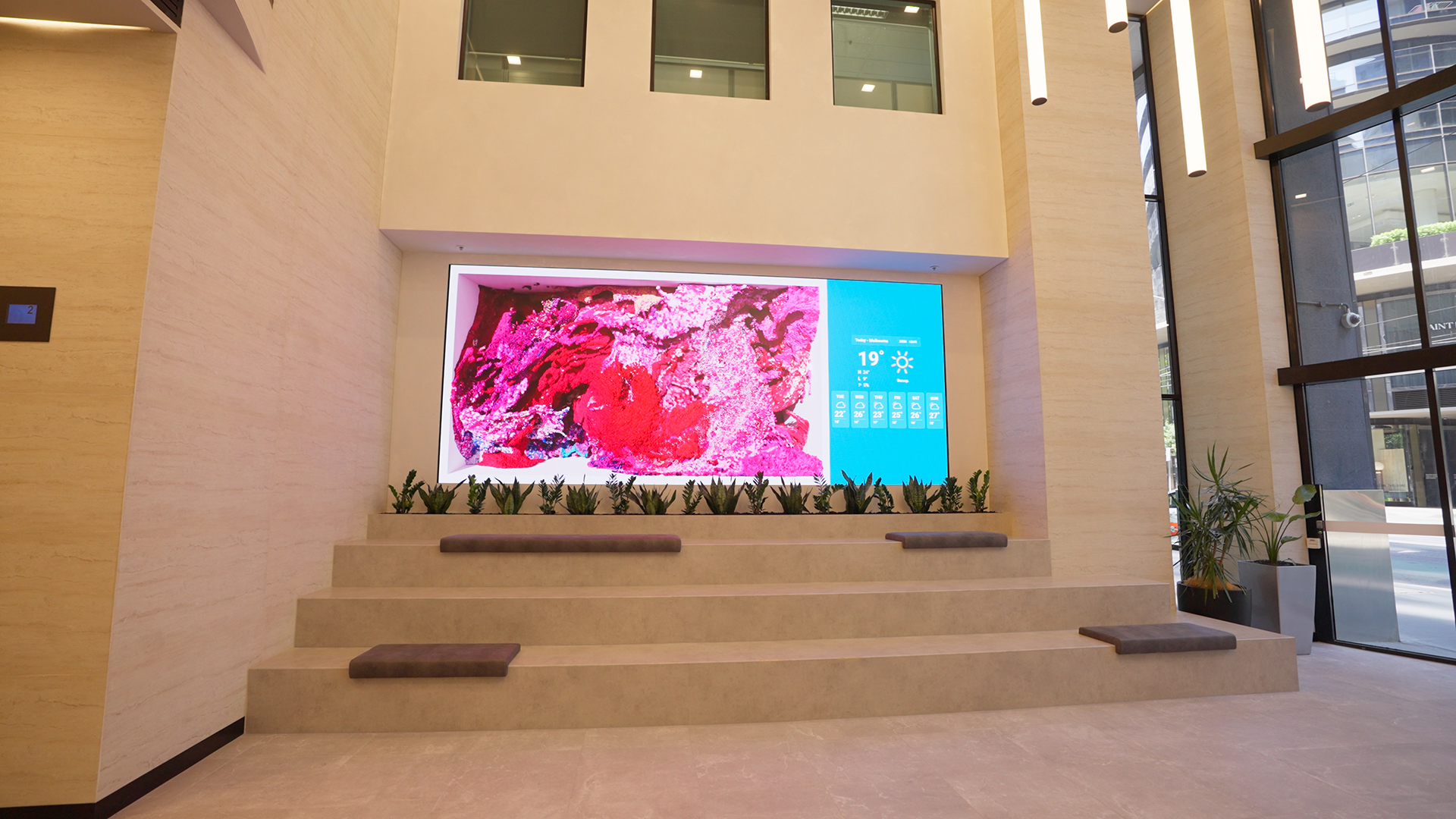
Digital Signage Installation Guide for Australian Rollouts
Digital signage installation is where projects either come together or fall apart. Hardware that is well-specified but poorly installed creates ongoing support problems. A clean installation, on the other hand, makes the network easier to manage, easier to service and less likely to generate faults in the first months of operation.
This guide covers the key stages of a digital signage installation, common problems and how to avoid them, and what onQ manages as part of its end-to-end delivery service across Australia.
Site preparation before installation
Every installation requires site preparation before the crew arrives. This means confirming wall structure and load capacity for mounts, locating power outlets and data points relative to screen positions, identifying cable run paths that are clean and serviceable, and confirming access rules and trading hours with the site.
For retail environments, centre management or landlord notification is usually required before work begins. For corporate environments, building management needs to be informed and IT teams need to have network access set up for media players. Skipping these steps creates delays on the day of installation that are expensive and avoidable.
Screen mounting and physical installation
Screen mounting needs to be appropriate for the wall type, the screen weight and the service access requirements. A commercial LCD screen mounted on plasterboard without adequate backing is a safety risk. An LED video wall mounted without front-service access creates a significant problem when a module needs replacement.
onQ designs mounting solutions for each installation based on the site conditions. For flush-to-wall installations, the mounting needs to accommodate cable management behind the screen. For freestanding displays, the mounting base needs to be appropriate for the floor type and foot traffic. For LED video walls, the structural steelwork needs to carry the cabinet weight and provide stable alignment across all panels.
Cabling and connectivity
Commercial digital signage installations should use commercial-grade cabling with appropriate terminations, cable management and labelling. Consumer-grade cables, improvised runs and unlabelled connections create problems that are difficult and expensive to diagnose later.
Data connectivity for media players needs to be confirmed with the site's IT team before installation. Firewall rules may need to be updated to allow the media player to connect to the CMS. Network VLAN configuration may be required for corporate installations. These requirements should be confirmed and tested before the installation crew arrives, not discovered during commissioning.
Commissioning and handover
Commissioning is the process of confirming that each screen is installed correctly, connected to the network, receiving content from the CMS and displaying it correctly. A screen should not be handed over until commissioning is complete and confirmed.
For LED video walls, commissioning includes colour calibration, brightness setting, cabinet alignment check and content mapping verification. For LCD networks, it includes CMS connection confirmation, playlist verification and display setting confirmation. For retail media environments, it also includes proof-of-play confirmation to verify that content logging is working correctly from launch.
Common installation problems and how to avoid them
| Problem | How it happens | How to prevent it |
|---|---|---|
| Screen cannot connect to CMS at commissioning | Network access not configured in advance. Firewall rules not updated by IT team. | Confirm network requirements with IT team before installation. Test on first site before rollout. |
| Mount is unsuitable for the wall | Wall structure not assessed during survey. Mount specified without wall type confirmation. | Survey the wall type and load capacity before specifying the mount. |
| Cable run is not achievable as planned | Cable path not walked during site survey. Obstacles discovered on installation day. | Walk the cable path during site survey and confirm with facilities team. |
| Content does not fit the screen correctly | Screen dimensions and orientation were not confirmed before content production. | Confirm exact screen dimensions and orientations at commissioning. Test content before go-live. |
| Screen is inaccessible for service after installation | Service access was not considered during design. Screen mounted flush with no clearance. | Design service access into the installation from the start. |
Installation standards for national rollouts
A national digital signage rollout needs consistent installation standards so the network looks and behaves the same across all sites. This includes standardised mounting specifications for each wall type, standardised cable management, standardised media player placement and labelling, and a standardised commissioning checklist that is completed and signed off at every site.
onQ uses standardised installation documentation for multi-site projects. This means each site is installed to the same standard, installation records are available for each location, and the support team has accurate information about what is installed where when a fault needs to be diagnosed.
Installation compliance and safety
| Compliance area | What it covers |
|---|---|
| Electrical compliance | Power connections, earthing, cable ratings and any work requiring a licensed electrician. |
| Structural compliance | Wall fixings rated for screen weight and seismic requirements where applicable. |
| Fire safety | Cable types and routing that meet building fire safety requirements. |
| Landlord and centre management | Written approval from property owners before work begins on leased premises. |
| Work health and safety | Working at height, manual handling, and safe work method statements where required. |
Frequently asked questions
Does onQ handle digital signage installation across Australia?
Yes. onQ manages digital signage installation across Melbourne, Sydney, Brisbane, Perth, Adelaide and regional Australia, including national rollouts for retail, corporate and hospitality clients.
How long does a digital signage installation take?
Timeline depends on screen format, site conditions and access requirements. A standard single-screen LCD installation takes a few hours. An LED video wall installation typically takes one to three days. A multi-site national rollout is staged over weeks or months depending on the number of locations.
What does commissioning include?
Commissioning includes confirming the screen is mounted correctly, connected to the network, receiving content from the CMS and displaying it at the correct brightness, resolution and layout. For LED displays, it also includes colour calibration and content mapping verification.
Enjoy our insights? Add onQ Digital as a preferred source on Google to see more of our content in your search results.



Ready to start a conversation?
Speak with our team about digital signage, CMS software, or retail media infrastructure. We’ll help you scope, design, and deploy the right solution.

Digital signage, CMS software, retail media platforms, analytics, and managed services across Australia.
© 2026 onQ Digital. All rights reserved. Website by D&n