
Digital Signage Content Strategy for Retail and Venues
A practical Australian guide to digital signage content strategy with onQ advice on hardware, CMS workflow, rollout governance, measurement and support.
Digital Signage Content Strategy for Retail and Venues
Digital signage content strategy is the plan that decides what plays on each screen, when it plays and who is responsible for keeping it current. Without a content strategy, a technically sound screen network quickly becomes a collection of outdated, inconsistent or irrelevant displays that undermine rather than support the environment they are in.
This page covers the principles of a good digital signage content strategy, how to structure content for different environments and what common content mistakes look like.
Start with the audience, not the screen
The most common content strategy mistake is designing for the screen rather than the person standing in front of it. A food court display is seen by someone deciding what to eat. A shopfront screen is seen by someone walking past. A service counter screen is seen by someone waiting. A corporate lobby screen is seen by a visitor forming their first impression.
Each of these audiences has different attention spans, different information needs and different contexts. The content strategy needs to start by mapping the audience at each screen position before deciding what to show them.
Content structure for retail digital signage
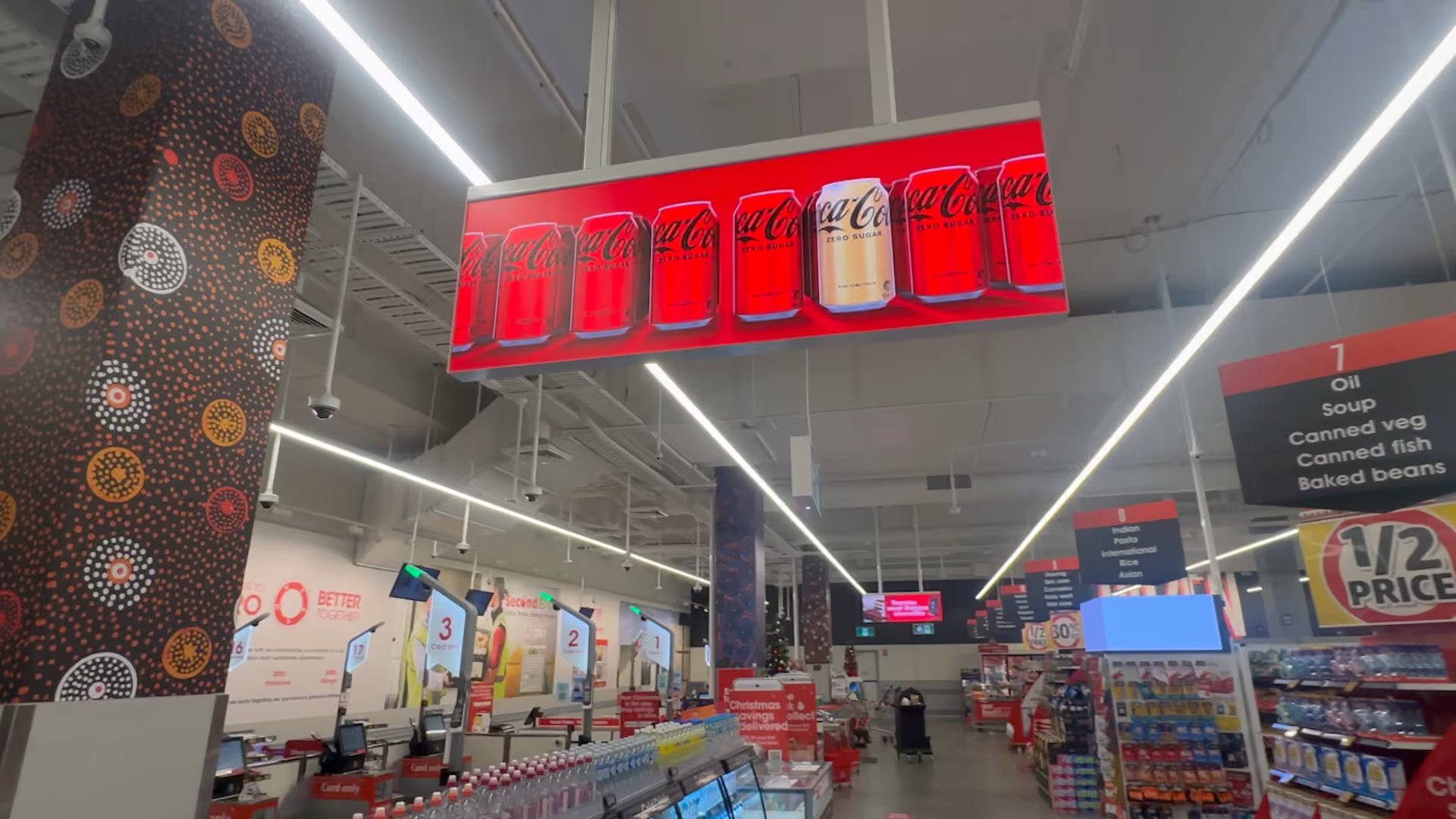
Retail digital signage content typically runs in a looping playlist that combines several content types. A good retail playlist balances brand content, product promotion, campaign content and operational messaging in proportions that suit the screen position and the audience dwell time.
Screens near the entrance need high-impact content that registers in seconds. Screens in aisle or category positions can carry more product-specific detail. Screens at counters or checkout zones suit short, transactional messages. Screens in fitting rooms or waiting areas can carry longer-form content because dwell time is higher.
Content ownership and governance
A content strategy only works if someone owns it. The most common reason digital signage networks fall into disarray is that content ownership is unclear. When marketing, operations, store managers and IT all have access without defined roles, the network becomes chaotic. When no one has clear ownership, nothing gets updated.
A good content governance model defines who can create content, who approves it, who schedules it and who is responsible for removing it when it expires. For a national retailer, this usually means a central content team managing national campaigns, with defined local zones where store managers can contribute approved content.
Content formats and production
Digital signage content should be produced to the specific dimensions of each screen. A 16:9 landscape screen needs landscape content. A portrait totem needs portrait content. An LED wall with custom dimensions needs content built for those exact pixel dimensions. Using repurposed assets that were not designed for the screen almost always produces disappointing results.
Motion content performs better than static images in most digital signage environments. Even simple animation, a fade, a text crawl or a subtle loop, draws more attention than a still image. However, motion for motion's sake is not the goal. The content should communicate something clearly, and motion should serve that communication rather than distract from it.
Content planning calendar
A content calendar turns the content strategy into an operational plan. It maps what plays on each screen or screen group during each period, who is responsible for producing and delivering each piece of content, and when content needs to be removed.
For retail environments, the content calendar typically aligns with trading periods, promotional cycles and seasonal campaigns. For corporate environments, it aligns with internal communications cycles, events and external announcements. For retail media networks, the calendar needs to account for both owned content and supplier campaign windows.
Common digital signage content mistakes
| Mistake | What it looks like | How to fix it |
|---|---|---|
| Content designed for print, not screens | Small text, complex layouts and detailed product imagery that cannot be read at normal viewing distances. | Design content for the viewing distance and dwell time of each screen position. |
| Expired content running on screens | Outdated promotions, old season campaigns or events that have already passed. | Set end dates on all time-sensitive content and assign someone to audit the network regularly. |
| One playlist for all screens | The same content runs on entrance screens, service counters, fitting rooms and exterior windows without any adaptation. | Create content by screen zone based on audience and dwell time. |
| No motion or animation | Static images that do not attract attention or communicate urgency. | Add simple animation or motion to key messages. Even a fade or slide makes content more effective. |
| Too much information per screen | Dense layouts with multiple messages, small text and competing visual elements. | One message per screen or per content slot. Design for quick comprehension. |
Content strategy for retail media
When a digital signage network carries paid advertising, the content strategy needs to manage the relationship between owned content and supplier campaigns. Too much advertising degrades the customer experience. Too little limits the commercial potential of the network.
A good retail media content strategy defines which zones carry paid media, what share of time is available to suppliers, how creative standards are enforced, and how supplier content is approved before it goes live. These rules protect the retailer's brand environment while giving suppliers a credible and predictable media product to buy.
Frequently asked questions
How often should digital signage content be updated?
This depends on the screen type and content purpose. Campaign and promotional content should align with trading periods. Wayfinding and operational content should be updated when the information changes. A general rule is that no screen should show the same content for more than four weeks without a review.
Can onQ help with digital signage content production?
Yes. onQ can help with content adaptation, motion design, template creation and playlist structuring. Content production is most effective when it is planned alongside the hardware specification so the creative is designed for the actual screen dimensions and viewing context.
How do you manage content across many different screen sizes?
Define a small number of standard content formats that cover the main screen sizes and orientations in the network. Producing content to a limited set of formats reduces production complexity and makes it easier to maintain consistency across a large screen estate.
Enjoy our insights? Add onQ Digital as a preferred source on Google to see more of our content in your search results.


Ready to start a conversation?
Speak with our team about digital signage, CMS software, or retail media infrastructure. We’ll help you scope, design, and deploy the right solution.

Digital signage, CMS software, retail media platforms, analytics, and managed services across Australia.
© 2026 onQ Digital. All rights reserved. Website by D&n