
Multi-Site Digital Signage Rollout: A Practical Playbook
A practical Australian guide to multi-site digital signage rollout with onQ advice on hardware, CMS workflow, rollout governance, measurement and support.
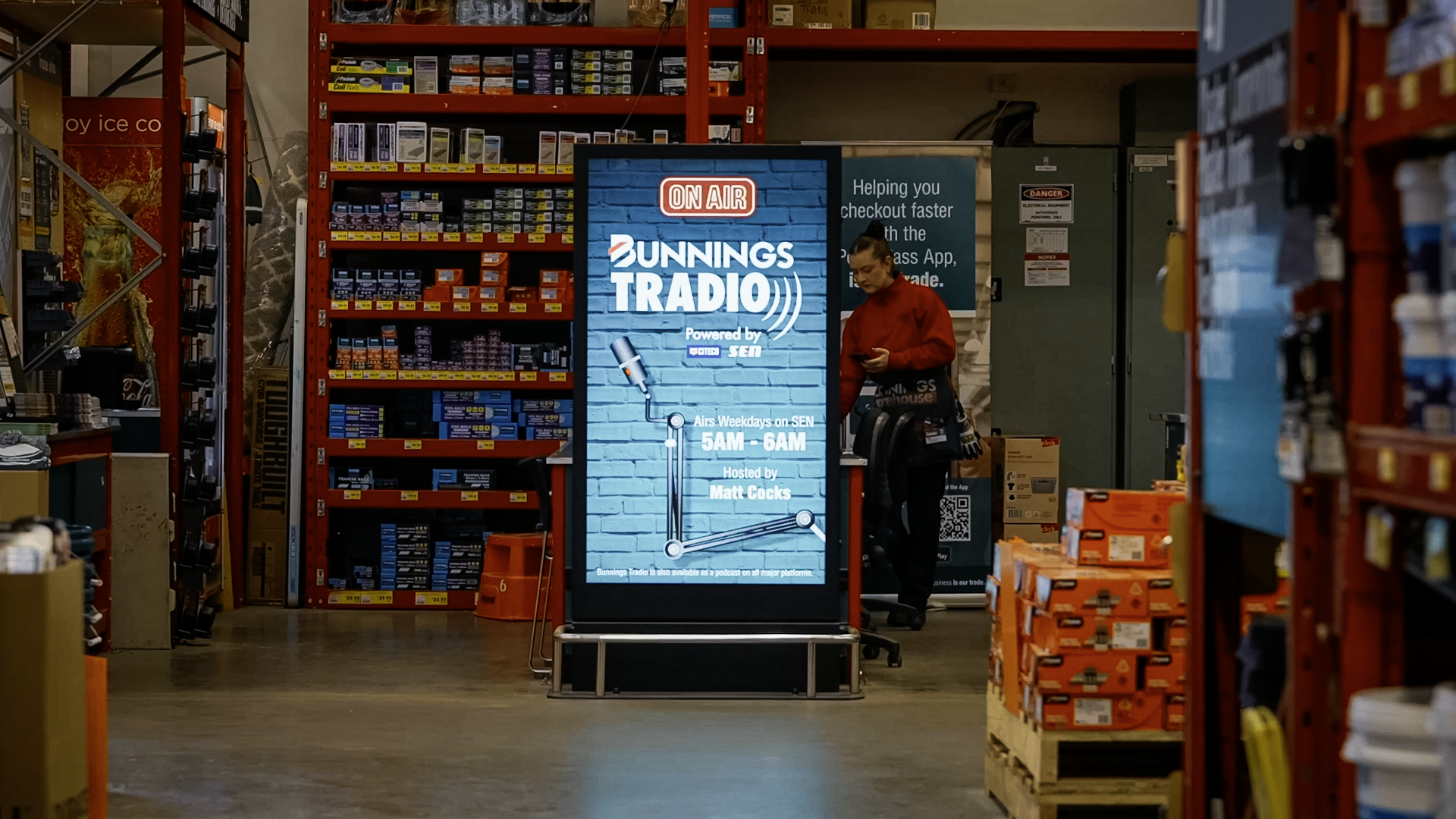
Multi-Site Digital Signage Rollout: A Practical Playbook
A multi-site digital signage rollout is more than ordering screens for multiple locations. It requires a repeatable process for site assessment, hardware specification, installation, CMS configuration and support that works consistently across many different premises while still accommodating the real differences between sites.
This guide covers the key decisions in a multi-site digital signage rollout, common problems that arise without proper planning, and how onQ manages large-scale deployments for clients across Australia.
Define the hardware standard before you start
The most important decision in a multi-site rollout is what the standard hardware package looks like. Every site that deviates from the standard creates a new set of service, support and content management requirements. Before procurement begins, the team should agree on screen size, mounting type, media player, cable type, power requirements and CMS connection method.
This does not mean every site is identical. It means there is a defined baseline, and deviations from that baseline are deliberate decisions rather than site-by-site improvisation. A retailer rolling out 50 stores benefits from having one screen model, one media player and one CMS workflow, even if display sizes vary slightly between store formats.
Site survey and assessment
Every site in a multi-site rollout needs a documented survey before installation. The survey covers wall dimensions, mounting surfaces, power location, data access, ambient light, sightlines and any centre management, landlord or building requirements. Attempting to install without a survey creates on-site delays when the wall is in the wrong position, the power point is too far away, or the centre requires approvals that have not been obtained.
For large rollouts, onQ uses a standardised survey template so that information from every site is captured consistently. This also allows the data to feed into procurement, scheduling and CMS configuration directly, rather than being reprocessed at each stage.
Staging and scheduling
A multi-site rollout rarely installs all locations simultaneously. Most projects phase the work by region, store cluster or priority tier. The staging plan needs to account for hardware lead times, store trading hours, access windows, installation crew availability and the handover process at each site.
For retail clients, installation windows are often limited to early mornings, evenings or overnight. For corporate clients, out-of-hours access may require building management coordination. For shopping centre tenancies, installation often requires centre management notification and approval ahead of each visit.
CMS configuration at scale
The CMS structure needs to be defined before the first site goes live. A national retail network might group screens by state, banner, store format, department and content zone. Getting this structure right from the start prevents the situation where the network grows but becomes harder to manage because the CMS was set up without a governance model.
User access should also be defined early. A head office marketing team, a regional operations manager, a local store manager and a retail media team may all need different levels of CMS access. Setting this up correctly before go-live avoids ad hoc changes and permission problems later.
Common problems in multi-site rollouts
| Problem | How it typically happens | How to prevent it |
|---|---|---|
| Screen fails to connect to CMS at installation | Network requirements were not confirmed during survey. IT firewall rules were not set up in advance. | Confirm network access requirements with the client's IT team before installation. Test connectivity on first site before rolling to others. |
| Hardware arrives and does not fit the wall | Survey was not done or wall dimensions were not confirmed before procurement. | Complete documented surveys for every site before ordering hardware. |
| Content looks wrong on site | Content was designed for a different screen size or orientation. Not tested before go-live. | Test content on the actual hardware before launching campaigns. Define content format standards at the start of the project. |
| Site-by-site variation creates support complexity | Different screen models and players were used across sites due to procurement decisions made locally. | Define and enforce a hardware standard before procurement begins. |
| CMS becomes unmanageable as the network grows | CMS structure was not planned before installation. Sites were added without a naming or grouping convention. | Define the CMS site structure, naming conventions and user permissions before go-live. |
Support and ongoing management
A multi-site network needs a support model that scales with the rollout. Remote monitoring gives the operations team visibility over screen status across all locations without requiring site visits for every fault. A clear escalation path means that when a screen goes offline, the right person is notified and the response time is predictable.
onQ provides remote monitoring, fault response and content support for multi-site networks. The support model is defined at the start of the project so the client knows what is covered, what requires a site visit and what can be resolved remotely.
Rollout governance and accountability
| Stage | Who owns it | What needs to be confirmed |
|---|---|---|
| Site survey | onQ installation team and client facilities | Dimensions, power, data, access rules and landlord requirements. |
| Hardware procurement | onQ supply chain and client approval | Screen model, quantity, delivery address and lead time. |
| CMS configuration | onQ technical team and client IT | Network access, device naming, user setup and content zones. |
| Content preparation | Client marketing and onQ content support | File formats, resolutions, playlist structure and approval workflow. |
| Installation and commissioning | onQ installation team | Screen live, connected and playing correct content before handover. |
| Ongoing support | onQ support team | Monitoring active, escalation paths confirmed and client team trained. |
Frequently asked questions
How long does a multi-site digital signage rollout take?
Timeline depends on the number of sites, hardware lead times, installation access windows and CMS complexity. A 10-site rollout might take 4 to 8 weeks from survey to completion. A 100-site national rollout typically takes 3 to 6 months, depending on access and staging constraints.
Can onQ manage a national digital signage rollout?
Yes. onQ manages multi-site rollouts across Australia, including site surveys, hardware procurement, installation, CMS configuration and ongoing support.
What CMS does onQ use for multi-site networks?
onQ uses the onQ CMS platform, which supports multi-site grouping, central content scheduling, user permissions, device monitoring and proof-of-play for networks of any scale.
Enjoy our insights? Add onQ Digital as a preferred source on Google to see more of our content in your search results.



Ready to start a conversation?
Speak with our team about digital signage, CMS software, or retail media infrastructure. We’ll help you scope, design, and deploy the right solution.

Digital signage, CMS software, retail media platforms, analytics, and managed services across Australia.
© 2026 onQ Digital. All rights reserved. Website by D&n