
What is a Retail Media Platform?
A practical guide to retail media platforms, including the technology layers, retailer benefits, buyer checklist, examples and FAQs for in-store and omnichannel retail media networks.
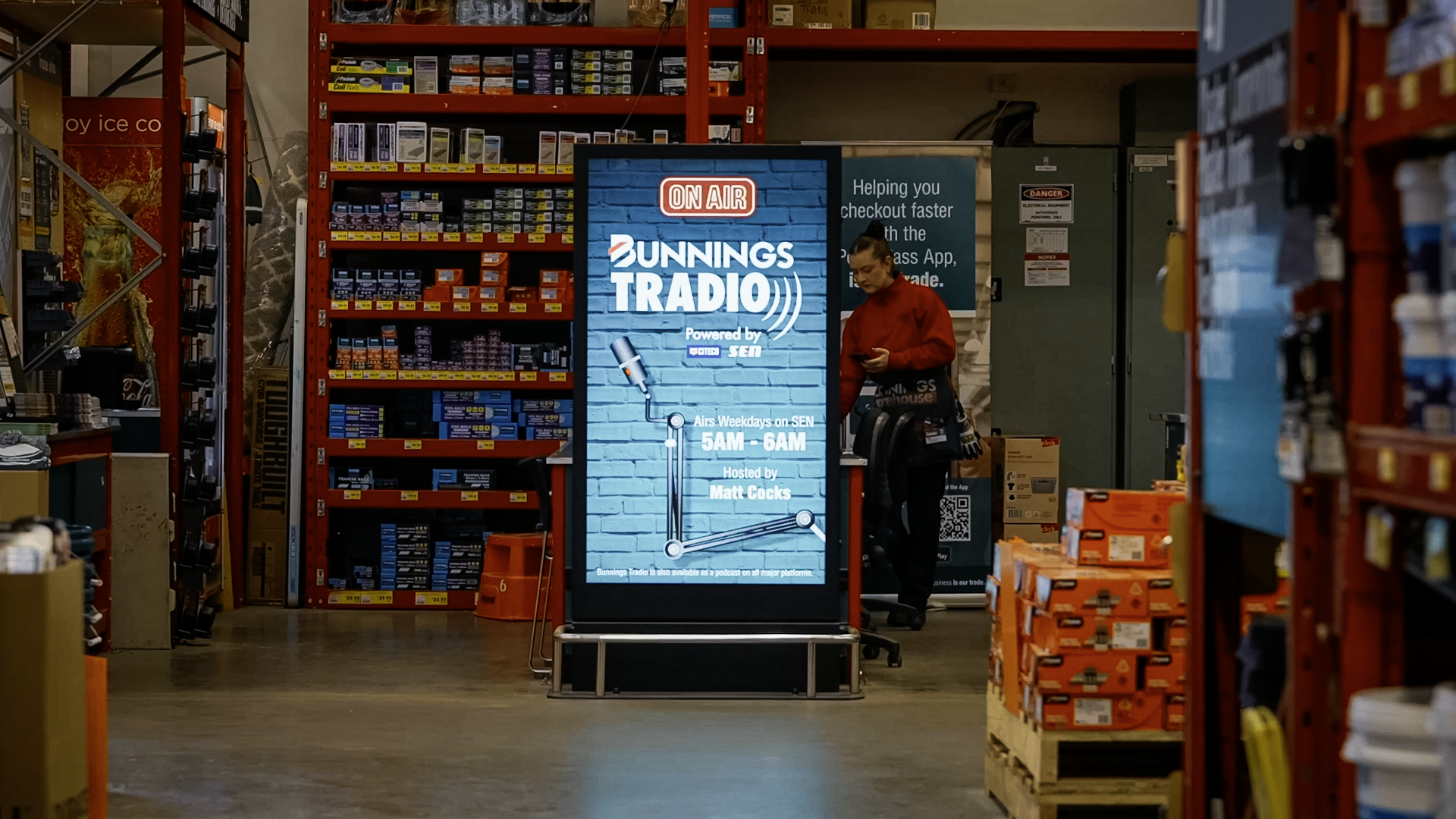
What is a retail media platform?
Definition: A retail media platform is the technology stack that enables a retailer to plan, manage, deliver, measure and monetise advertising across retail-owned channels. In physical stores, it connects screen networks, content workflows, campaign scheduling, proof-of-play reporting and audience analytics so advertisers can buy measurable media close to the point of purchase.
Retail media has moved from a digital-only advertising format into a broader operating model for retailers. Ecommerce placements, loyalty data, in-store screens, audio networks, digital menu boards, category displays and supplier-funded campaigns can all become part of the same commercial media ecosystem. The role of a retail media platform is to make that ecosystem manageable, measurable and commercially credible.
For retailers with physical locations, the platform question is especially important. A screen is not automatically a media asset. It becomes valuable when it can be grouped into inventory, scheduled by campaign, governed by brand and store rules, monitored for uptime and reported back to advertisers. This is where digital signage infrastructure, CMS workflows and retail media operations intersect.
onQ Digital Group approaches retail media from this infrastructure-first perspective: reliable networks, controlled workflows and reporting that store, marketing and media teams can trust.

The core layers of a retail media platform
A retail media platform is not one feature. It is a combination of connected layers that turn owned retail environments into usable media inventory. The exact stack varies by retailer maturity, but most successful platforms include six core layers.
| Platform layer | What it does | Why it matters |
|---|---|---|
| Inventory layer | Defines screens, zones, stores, audiences, categories and available media formats. | Creates a sellable structure for media packages rather than treating every screen as a separate asset. |
| Content and CMS layer | Manages creative assets, approvals, scheduling, playlists, dayparting and campaign rules. | Ensures campaigns can run at scale without manual file handling or inconsistent store execution. |
| Delivery layer | Connects media plans to players, displays, audio endpoints, LED walls and other in-store channels. | Turns campaign instructions into actual playback across the physical network. |
| Governance layer | Controls brand safety, category exclusions, local store rules, content hierarchy and emergency overrides. | Protects the customer experience and keeps advertising aligned with retail operations. |
| Measurement layer | Tracks proof-of-play, screen uptime, estimated impressions, dwell time, attention indicators and campaign delivery. | Gives advertisers confidence that purchased media actually ran and reached the intended environment. |
| Commercial layer | Supports rate cards, packages, campaign reporting, media sales, partner access and operational handover. | Helps the retailer convert technical inventory into a repeatable revenue product. |
1. Inventory and network structure
The inventory layer is where a retailer decides what can be sold. For an in-store network, this usually means defining screen groups by store, region, department, traffic zone, product category or customer mission. A pharmacy chain may package front-of-store screens differently from prescription waiting area screens. A grocery retailer may separate entry screens, aisle-end displays, deli displays and checkout displays because each location has a different audience context.
This layer is also where media quality begins. Advertisers need to know what they are buying, where it appears, how often it can run and what environment surrounds the placement. Without a structured inventory layer, retail media becomes difficult to price, forecast and report.

2. Content management and campaign workflow
The content and CMS layer is the operational centre of a retail media platform. It manages creative upload, asset formatting, playlist logic, scheduling windows, campaign start and end dates, localisation, content approvals and screen assignment. In an enterprise environment, this layer should also support role-based access so media teams, marketing teams, agencies and approved partners can work without compromising control.
The onQ CMS is relevant here because many in-store retail media networks are built on digital signage workflows. A campaign may need to run across hundreds of screens, avoid certain stores, prioritise certain dayparts and report proof-of-play after completion. These requirements are similar to digital signage operations, but with added commercial expectations from advertisers.
For more detail on the in-store platform layer, see onQ’s retail media technology overview at /digital-signage-software. For CMS-led digital signage workflows, the service information at /services/digital-signage-software provides additional context.

3. Delivery infrastructure
Retail media cannot rely on campaign planning alone. The delivery layer includes media players, network connectivity, screen hardware, LED displays, audio endpoints, monitoring systems and integrations that ensure content actually reaches the point of playback. In-store environments create real-world constraints: variable internet quality, different trading hours, local power conditions, store refurbishments, screen orientation and staff workflows.
A strong retail media platform therefore needs both software and infrastructure discipline. If the network is unreliable, the media product becomes unreliable. If content cannot be deployed consistently, reporting loses credibility. For retailers, the platform should reduce operational complexity rather than create another manual process for store teams.
4. Governance and customer experience control
Retail media must sit inside the retailer’s customer experience, not above it. Governance controls decide which brands can appear, which categories are excluded, how house content interacts with paid content and what happens during operational events such as product recalls, safety announcements or urgent trading updates.
Good governance also prevents channel conflict. Category exclusions, local store rules and private-label protections need to be reflected in platform permissions, playlist logic and approval workflows.
5. Measurement and proof-of-play
Measurement is the layer that separates a professional retail media network from a simple screen rollout. Proof-of-play confirms that a piece of content was scheduled and played on the relevant screens. Uptime reporting shows whether screens were available. Audience measurement can add context such as estimated impressions, dwell time or attention indicators, depending on the retailer’s privacy model and technology choices.
For buyers, measurement turns an in-store campaign from a belief-based placement into a reportable media channel. For retailers, it creates the evidence required to renew campaigns, support supplier negotiations and improve rate cards over time.
How retail media platforms differ from digital signage CMS platforms
Retail media platforms and digital signage CMS platforms overlap, but they are not identical. Digital signage CMS software is usually designed to control content across screen networks. A retail media platform extends that foundation into campaign packaging, advertiser reporting, audience context and commercial governance.
| Capability | Digital signage CMS | Retail media platform |
|---|---|---|
| Primary purpose | Manage content across screens and locations. | Monetise retailer-owned channels as measurable media inventory. |
| Typical users | Marketing, operations, store support and content teams. | Retail media, commercial, supplier marketing and agency teams. |
| Scheduling | Controls playlists, content rotation and dayparting. | Adds campaign-level booking, pacing, packages and delivery accountability. |
| Governance | Manages brand, location and operational content rules. | Adds advertiser eligibility, category conflict rules and sales commitments. |
| Reporting | Reports playback, device health and network status. | Adds advertiser-ready proof-of-play, audience context and campaign summaries. |
In practice, retailers often need both. The CMS provides operational control, while the retail media platform model defines how that control becomes a commercial product. For a retailer starting with a screen estate, the fastest path is often to strengthen the CMS and measurement foundations before adding more complex media sales integrations.
Retailer benefits of a retail media platform
The first benefit is new revenue from owned assets. Retailers already have traffic, shopper attention and supplier relationships. A platform helps convert those assets into structured inventory that can be sold to brands in a repeatable way.
The second benefit is better control. Without a platform, supplier campaigns can become fragmented across stores, agencies, printed POS and ad hoc screen updates. A central workflow gives the retailer visibility over what is running, where it is running and whether it aligns with the customer experience.
The third benefit is stronger supplier conversations. When a retailer can show delivery logs, screen availability and audience context, it can move from informal promotion support to more disciplined media planning. This is particularly important when retail media budgets are being compared with digital, out-of-home and shopper marketing channels.
The fourth benefit is operational efficiency. A well-designed platform reduces manual creative handling, store-by-store instructions and spreadsheet-based campaign tracking.
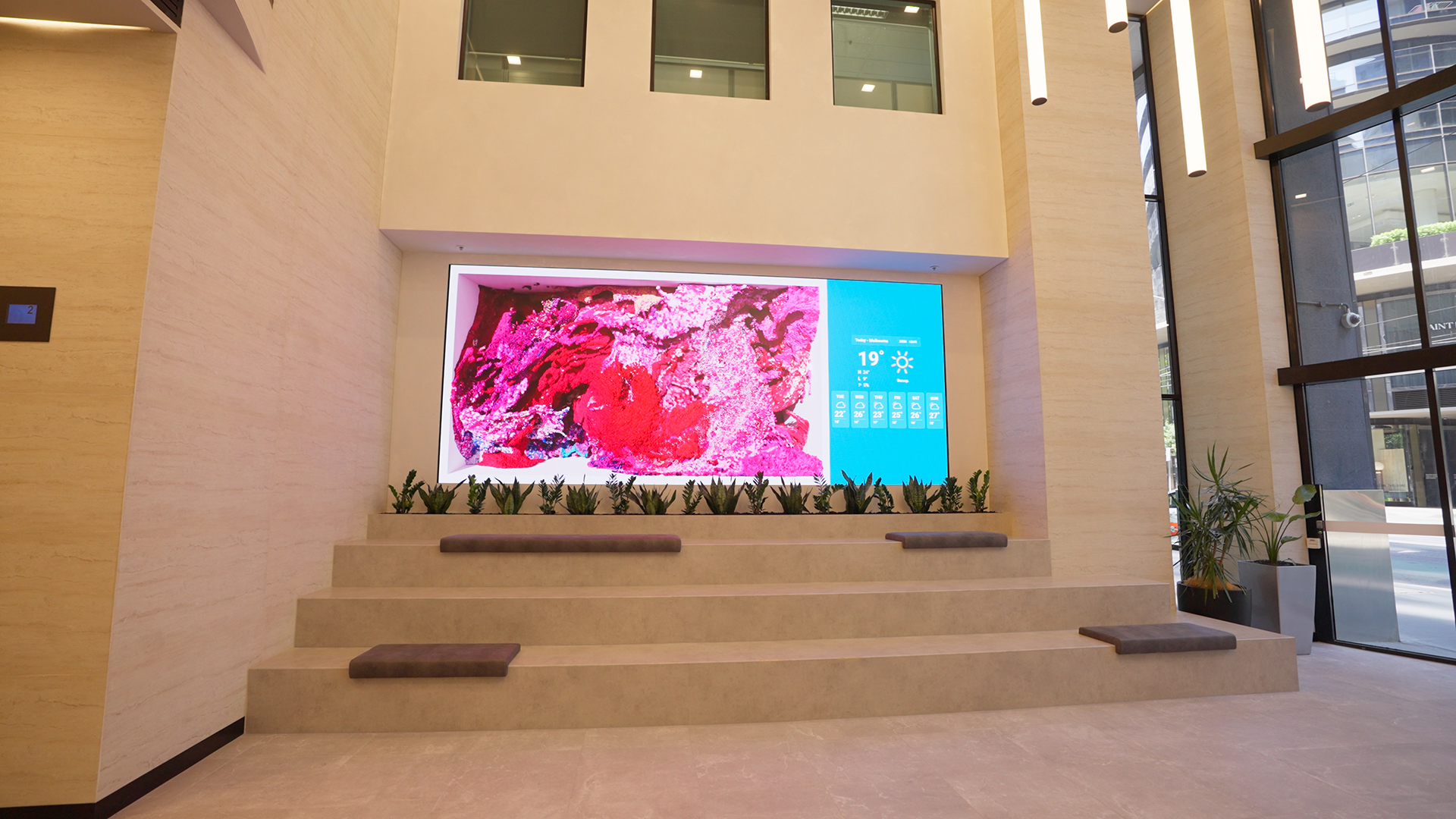
Buyer checklist: what to look for in a retail media platform
Retailers evaluating a retail media platform should begin with operating reality rather than feature lists. The right platform depends on the channels being monetised, the number of locations, the internal team structure, the level of advertiser access required and the maturity of the retailer’s media sales model.
| Checklist area | Questions to ask |
|---|---|
| Network readiness | Are screens, players, connectivity and monitoring reliable enough for paid media commitments? |
| CMS capability | Can teams schedule by store, region, format, daypart and campaign without manual workarounds? |
| Proof-of-play | Can the platform prove what played, where it played and when it played? |
| Audience context | Can the retailer estimate impressions or provide location-level audience context in a privacy-safe way? |
| Governance | Can category conflicts, local exclusions, brand safety and emergency content overrides be controlled? |
| Reporting | Are reports suitable for advertisers, suppliers and internal commercial teams? |
| Scalability | Can the platform support more stores, more screen formats and more campaigns without redesign? |
| Support model | Who monitors devices, resolves playback issues and helps with campaign operations? |
The most important buying principle is to avoid treating retail media as only a software procurement. The platform must work in the real retail environment. If store networks, screen uptime, content operations and support are weak, even a sophisticated media layer will struggle to produce reliable outcomes.
Examples of retail media platform use cases
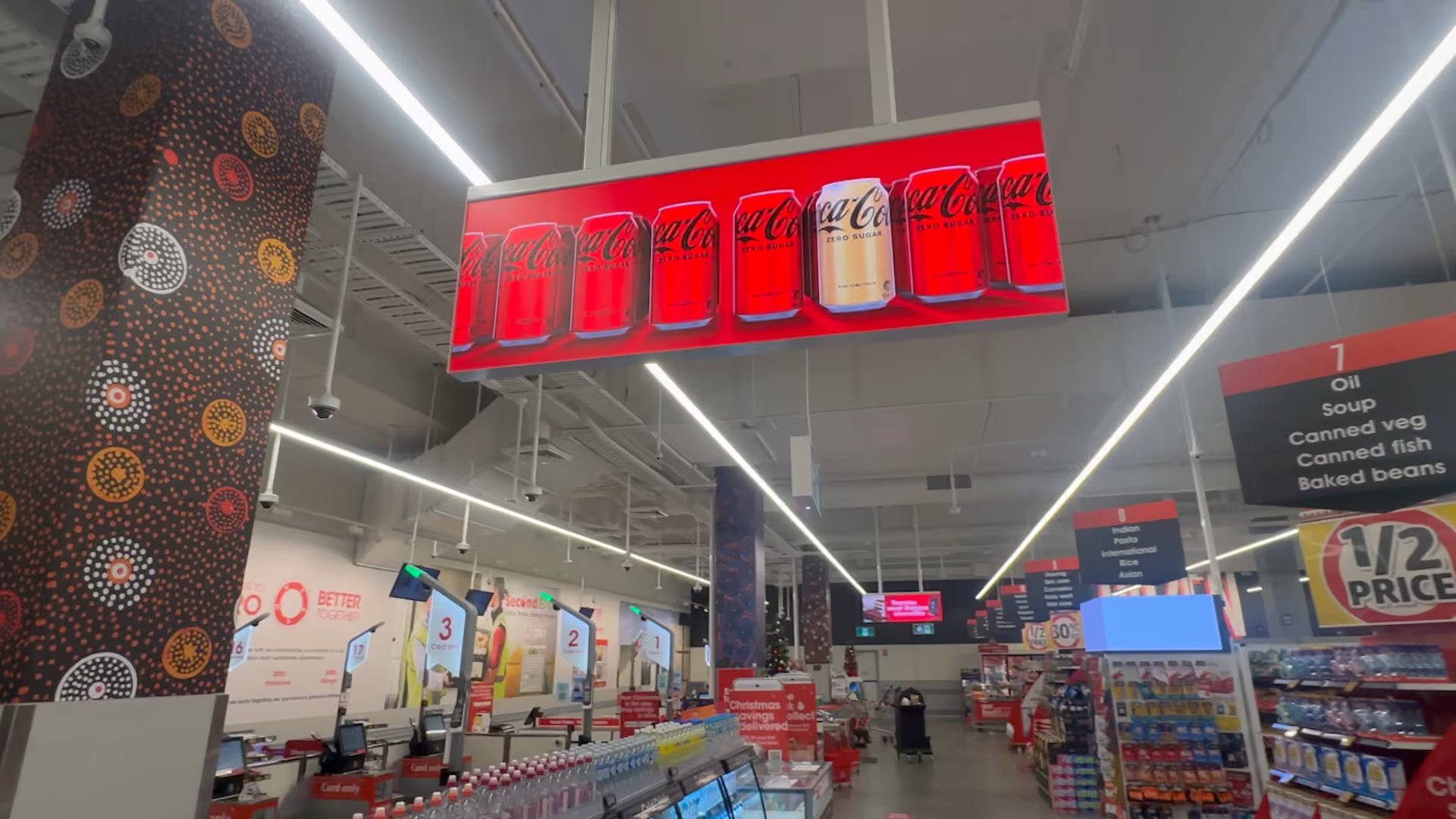
A grocery retailer might use a retail media platform to sell supplier campaigns across entry screens, aisle-end displays and checkout screens. Campaigns can be packaged by category and scheduled around shopping missions, such as dinner preparation, seasonal events or back-to-school periods.
A pharmacy retailer might use the platform to separate health, beauty, prescription waiting area and front-of-store inventory. Governance rules would be particularly important because regulated health categories require careful content controls.
A shopping centre operator might package LED screens, directory displays and food court screens into zones that support tenant promotions, brand activations and centre-owned messaging. In this example, the platform helps balance advertising revenue with wayfinding, events and operational announcements.
FAQs
What is a retail media platform in simple terms?
A retail media platform is the technology and workflow used by a retailer to sell, schedule, deliver and report advertising across its own channels. In-store, it often includes digital screens, CMS scheduling, proof-of-play and audience measurement.
Is a retail media platform the same as a digital signage CMS?
No. A digital signage CMS manages screen content. A retail media platform uses CMS capability as one layer, then adds inventory packaging, commercial governance, advertiser reporting and media measurement.
Why do retailers need proof-of-play?
Proof-of-play gives advertisers evidence that their campaign actually ran on the agreed screens and dates. It supports billing, campaign reporting, renewal conversations and trust in the retail media network.
Can physical stores be part of a retail media platform?
Yes. Physical stores can be a valuable part of a retail media platform when screens, audio, LED displays or other channels are connected to reliable scheduling, governance and measurement workflows.
What should retailers check before selling in-store media?
Retailers should check network uptime, screen placement, content governance, CMS flexibility, reporting quality, support processes and whether the media inventory can be clearly packaged for advertisers.
How does onQ CMS support retail media workflows?
onQ CMS supports campaign scheduling, screen grouping, playlist control, approvals, content deployment and proof-of-play workflows across digital signage networks. These capabilities provide the operational foundation for in-store retail media.
Do retail media platforms need audience analytics?
Audience analytics are not always required at launch, but they become increasingly useful as the network matures. They help retailers estimate impressions, understand dwell patterns and improve campaign planning.
What is the first step in building a retail media platform?
The first step is usually to audit the retailer’s owned channels, screen estate, CMS capability, measurement readiness and supplier demand. From there, the retailer can define inventory packages and a practical operating model.
Enjoy our insights? Add onQ Digital as a preferred source on Google to see more of our content in your search results.


Ready to start a conversation?
Speak with our team about digital signage, CMS software, or retail media infrastructure. We’ll help you scope, design, and deploy the right solution.

Digital signage, CMS software, retail media platforms, analytics, and managed services across Australia.
© 2026 onQ Digital. All rights reserved. Website by D&n